
The Gangnam Style AI trend is a trio video. Three friends do a playful song-and-dance number outside at night, filmed like a selfie. The camera pushes in on the one in the middle, whips left and right for a solo on each side, and brings all three back together at the end. People remake it with best friends, siblings, teammates and coworkers, and it still reads as the same video whoever is in it.
We build the Gangnam Style AI video generator on aiMakeVideo. This guide covers how the trend is put together, how to pick your three photos, which scene and version to choose, what we check before calling a render good, and how far you can get on your own.
The short version: add one photo each for the left, center and right spot. Pick a scene, Basic Preview (15 seconds) or Pro Full (19 seconds), and the sound. You get a 720p 16:9 MP4 with no watermark, usually in a few minutes. Make your Gangnam Style video.
A Pro Full render from three AI-generated people. Nobody in this video is real.
What the Gangnam Style AI trend is
The name comes from the 2012 K-pop hit. The clip people remake, though, is a short trio video: three friends sing along at night on a lit city plaza, filmed close and handheld, as if one of them is holding the phone. Each person gets a moment of their own, and the trio comes back together at the end.
It spreads for the same reason every remake trend does. The structure is fixed and easy to recognize, and any three faces fit it. You will see it called the Gangnam Style AI trend, the Gangnam Style trio or the Gangnam Style AI dance. They all refer to the same three-person clip.
The six shots the trio follows
The clip is a sequence of six shots. Basic Preview covers the first five and stops at 15 seconds. Pro Full makes the whole 19 seconds:
| Time | Shot | Version |
|---|---|---|
| 0–2 s | All three together in a selfie, waving at the lens | Both |
| 2–4.5 s | The camera pushes into a close-up of the person in the middle | Both |
| 4.5–8.3 s | A solo for the person on the left | Both |
| 8.3–11.7 s | The camera whips right to a solo for the person on the right | Both |
| 11.7–15.8 s | Back to a close-up of the person in the middle | Both (Basic Preview ends here, at 15 s) |
| 15.8–19 s | All three together again, singing and waving to the last frame | Pro Full only |
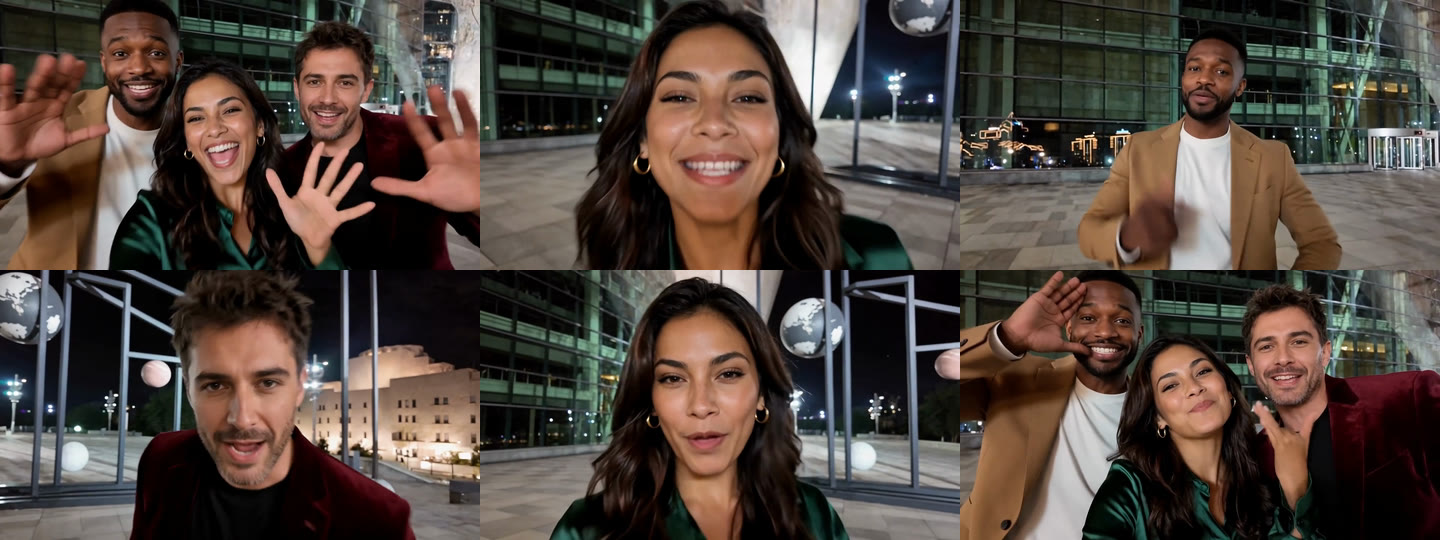
The routine, the camera moves and the timing stay fixed. Your three photos decide who stands where. That is why there is no prompt box: the part that makes it the trend is already decided.
How to make your own, step by step
1. Decide who stands where
Each photo fills one spot: left, center or right. The spots are not equal.
- Center gets the most screen time: the opening push-in, a second close-up and the middle of every group shot. Put the most expressive person here, or the one the video is really about.
- Left and right each get a solo of three to four seconds. The solos are close too, so these photos matter almost as much as the center one.
2. Choose three good photos
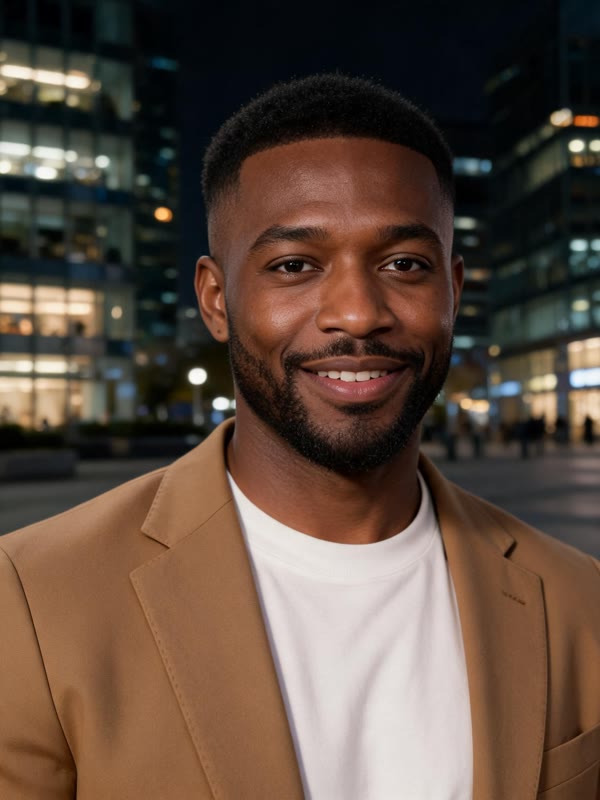
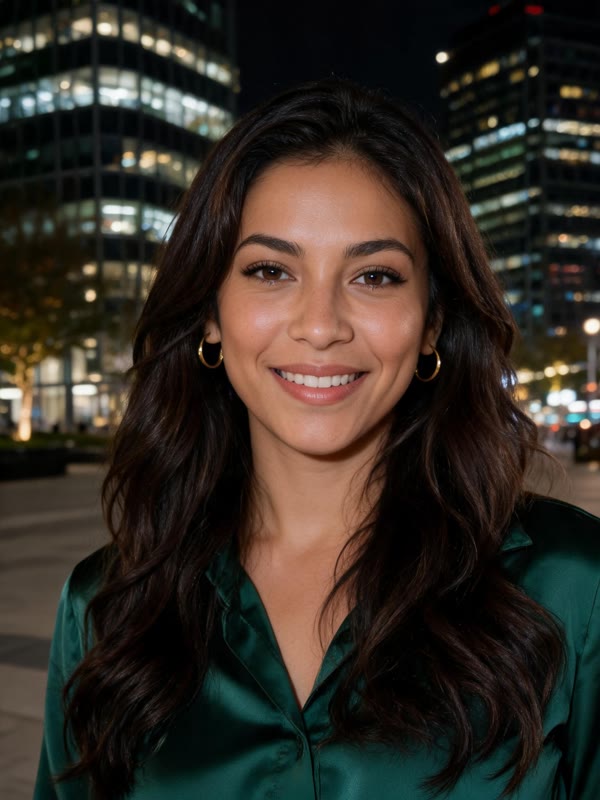
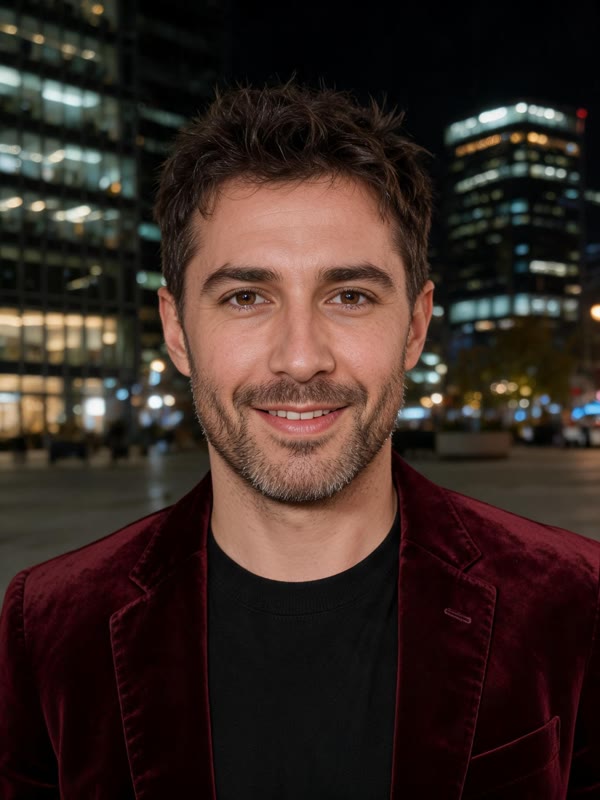
These are the inputs behind the example above, all AI-generated portraits:
What works best:
- One adult per photo, facing the camera. The clip is mostly close-ups, so a clear face matters more than a full-body shot.
- Sharp and evenly lit. Soft or dark photos look worst in the solos, where one face fills the frame.
- Three separate photos. Do not crop all three people out of one group photo. Each spot needs its own clear picture.
- Skip sunglasses, heavy filters and screenshots.
- Clothes carry over. What each person wears in the photo is what they wear in the video.
- JPG, PNG or WebP, up to 10 MB each.
3. Pick the scene, version and sound
Scene. Keep the original night plaza or move the trio somewhere else. There are six in all, and the next section shows each one.
Version. Basic Preview is 15 seconds and stops on the lead's second close-up. Pro Full is the whole 19 seconds, including the ending where all three come back and wave. If the closing group shot is the part you want to share, choose Pro Full.
Sound. By default, the track from our reference clip is laid under the video. Choose Silent to add your own audio when you post.
4. Render, download, post
Press Generate. Basic Preview usually takes a few minutes, and Pro Full can take longer. You can leave the page; the finished video waits in My videos. You get a 720p 16:9 MP4 with no watermark.
Which scene to pick
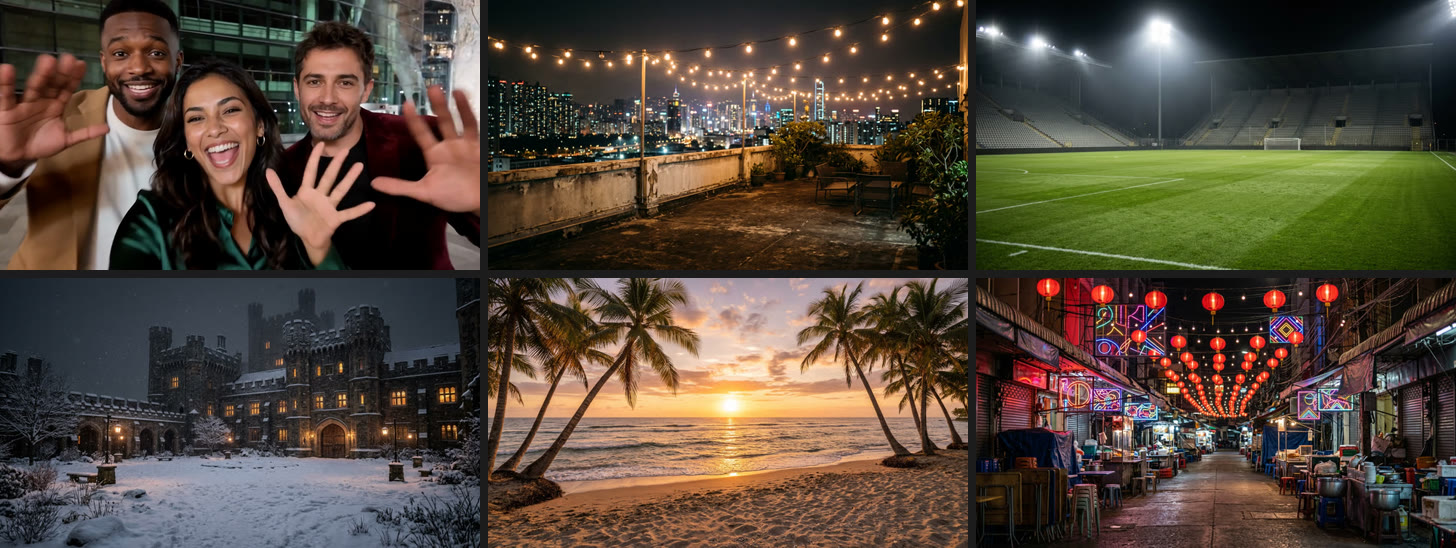
Top row: the night plaza (a frame from our example render), a city rooftop and a floodlit stadium. Bottom row: a snowy castle, a beach at sunset and a neon night market. The other five scenes are shown before the trio is added.
The moves, the camera and the timing are the same in every scene, and so is the price. Only the place changes, so pick the one that fits who is in it and where you will post it:
- Night plaza. The default, and the closest to the clip people know. Pick it when you want viewers to get the reference in the first second.
- City rooftop. String lights and a skyline. Good for a birthday, a night out or friends who just moved to a new city.
- Floodlit stadium. Made for teammates, sports clubs and the end-of-season video.
- Snowy castle. Falling snow and glowing windows, for a holiday post or a winter trip.
- Beach at sunset. Warm golden light for summer trips and vacation friends.
- Neon night market. Lanterns and color, for food lovers and travel crews.
If you are not sure, start with the night plaza. A different scene is a twist on the trend, and twists land best once people already know the original.
What we check before we call a render good
- Three faces, three people. In multi-person AI video, faces like to blend together. Each spot is cast from its own photo so the left solo still looks like the left person.
- Mouths in the solos. In our own test renders, the solos were where mouths drifted from the sound first. That is why sharp photos for the left and right spots matter as much as the center one.
- The whip pans. The camera move from the left solo to the right solo has to land on the beat, or the clip feels slow.
- The ending. In Pro Full, all three should be back in frame and waving at the end, with nobody missing and nobody doubled.
Something clearly off, like one person who was not replaced? Contact support. Renders that fail outright refund their credits automatically.
Gangnam Style AI prompt: can you make it by hand?
Partly. With an image-to-video tool, a starting prompt looks like this:
Three friends from the photos do a playful song-and-dance number at night on
a lit city plaza, filmed like a handheld selfie video. They lean into the
lens, laugh and wave. Glass office towers and street lights behind them,
cinematic night lighting, 16:9.
That gets you a fun night-time selfie shot. Here is how it compares with what the trend needs:
| The trend needs | What one prompt gives you |
|---|---|
| Six shots, with two solos and whip pans | One continuous shot. Each extra shot is another generation, and the faces drift between them. |
| Three people from three photos | Faces that swap or merge as soon as there is more than one person. |
| Gestures and cuts on the beat | A track added afterwards that rarely lines up with the mouths. |
| 15 to 19 clean seconds | Many paid attempts to get there. |
The generator handles the structure, so the only creative choices left are the ones that matter: who is in it, where, and with which sound.
What it costs
- Basic Preview (15 s): 900 credits per video. Pro Full (19 s): 1,350 credits. The scene and sound do not change the price.
- The smallest one-time pack is 900 credits for $9.90 at the time of writing, which covers one Basic Preview. See pricing for the current packs.
- A failed render costs nothing: the credits go back to your balance.
Before you post: consent and rights
- Only people who agreed, and adults only. Photos of celebrities, politicians and other public figures, and photos of anyone under 18, are not allowed.
- Personal sharing only. The track under the video belongs to its rights holders. Credits pay for the video, not a music license, so the videos are not for commercial use.
- Use the AI label. TikTok, Instagram and YouTube each have a way to mark AI-generated content. Switch it on for this video.
- Not official. aiMakeVideo is an independent tool and is not affiliated with the song, its performers, its rights holders, TikTok or any creator.
Gangnam Style AI FAQ
How many photos does the Gangnam Style AI trend need?
Exactly three, one for each spot: left, center and right.
Who should stand in the middle?
The person who should get the most screen time. The center spot gets the opening push-in, the second close-up and the middle of every group shot.
Can we do the Gangnam Style AI trend with two people?
The clip is built for three: three spots, three photos. If there are two of you, invite a third friend who is happy to be in it.
Which Gangnam Style AI scene should we pick?
Keep the night plaza for the version closest to the clip people know. Pick another scene when the place is part of the joke, such as the stadium for teammates or the snowy castle for a holiday post.
Why does Basic Preview stop at 15 seconds?
It covers the first five shots and ends on the second close-up of the person in the middle. The closing shot of all three waving is only in Pro Full, which runs 19 seconds.
Can I use one group photo of all three of us?
It is better not to. Each spot needs its own sharp, front-facing photo, and faces cropped small out of a group shot come out soft.
More AI video trends
- Tiny Desk AI: one to five photos, your band in the office concert. Read the Tiny Desk AI trend guide.
- Damon Salvatore AI: one photo, a 20-second vampire-romance edit. Read the Damon Salvatore AI edit guide.
- All AI video trends on aiMakeVideo.
About this guide: the aiMakeVideo team wrote it about our own generator, so read it as a maker's guide rather than a neutral review. Everyone shown is AI-generated, and prices are from October 2026.