Este artigo analisa um YouTube Short vertical feito com o Seedance 2.5. A noiva, Rumi, tem o vestido arruinado por uma brincadeira com tinta. Sua amiga Mira transforma o vestido em um vestido de grafite com sprays, e o casamento termina com uma troca de figurino de toda a capela. O criador guardou um documento de trabalho completo e todos os prompts dele são reproduzidos abaixo em inglês, prontos para copiar. O documento original foi escrito em chinês; as versões em inglês mantêm a estrutura, as direções de câmera e os diálogos. Substitua os campos entre colchetes, como [reference image] ou [pink], pelos seus próprios recursos e cores.
O documento registra cerca de 180 mil visualizações para este Short. É o resultado de um único caso, não uma promessa de que os mesmos prompts viralizem. O que vale copiar é a ordem de trabalho: fixar os personagens, criar um quadro inicial, criar um quadro-chave para cada etapa da história e gerar o vídeo take a take com prompts em linha do tempo.
Visão geral do processo
- Personagens: imagens de referência do noivo e da noiva com a roupa limpa, manchada de tinta e de grafite.
- Quadro inicial: a imagem da qual o primeiro take parte, mais uma referência estável do vilão.
- Quadros-chave: uma imagem para cada etapa da história; quando o figurino muda, use a frase "X's appearance becomes [reference image]".
- Prompts em linha do tempo: cerca de 15 segundos por clipe, escritos com segundos, câmera, ação, diálogo e som.
- Edição: junte os melhores clipes no Short.
Todas as imagens do documento original são verticais 9:16 em estilo 3D fotorrealista. As miniaturas de referência aparecem pequenas, em 9:16, ao lado do passo em que são usadas.
1. Personagens
Elenco
O documento dá uma letra a cada personagem, usada depois nos prompts dos quadros-chave:
Cast:
A: rumi
B: jinu
C: mira
D: abby
- A: Rumi, a noiva, longas tranças roxas.
- B: Jinu, o noivo, cabelo preto curto.
- C: Mira, amiga da noiva, maria-chiquinhas vermelhas, que salva o vestido com sprays.
- D: Abby, o vilão: um homem de camisa floral e boné amarelo. Os prompts em linha do tempo o chamam de "yellow-shirt man" ou "floral-shirt man".
Estados de figurino a preparar
O documento lista cinco estados na configuração dos personagens; os takes seguintes alternam entre eles conforme a história avança:
Groom: suit state / Groom: graffiti suit state
Bride: dress state / Bride: paint-stained dress state / Bride: graffiti dress state
2. Fixar o figurino: vestir os personagens para o casamento
Parta de uma imagem comum de um homem e de uma mulher e use Image to Image para vesti-los para o casamento. O [reference image] no início de cada prompt é o lugar onde vai a imagem de referência; ele diz ao modelo qual homem e qual mulher:
[reference image] Put this man in a wedding groom's suit.
[reference image] Put this woman in a wedding bride's dress.
Em seguida o documento escreve as configurações de geração:
4 results, 9:16, white background, 3D photoreal style, 1K
Uma imagem de corpo inteiro limpa sobre fundo branco é a melhor base para as próximas edições de figurino. Escolha o melhor resultado e salve-o como o estado "limpo".

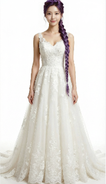
3. Fixar a cor: versões manchada de tinta e de grafite
Com os trajes limpos prontos, a mesma roupa passa por "manchada e depois grafite" com Image to Image. O documento pede as duas etapas em um só prompt e reforça que o design da peça deve continuar o mesmo, apenas com tinta adicionada:
[Groom suit] Paint some [pink] paint stains onto this man's suit, then repaint his suit completely into an artistic spray-can graffiti-style suit, mainly [pink] with white as the secondary color. The garment design must stay the same; it only gets paint on it.
[Bride dress] Put a lot of [pink] paint onto this woman's wedding dress, then repaint the dress into an artistic spray-can graffiti-style dress, mainly [pink] with white as the secondary color. The garment design must stay the same; it only gets paint on it.
4 results each, 9:16, white background, 3D photoreal style, 1K
[Groom suit] e [Bride dress] são campos para as imagens de referência correspondentes, e [pink] é um campo de cor que você pode mudar. O noivo só precisa do estado grafite; a noiva precisa do estado manchado de tinta e do estado grafite.

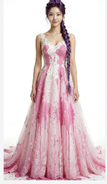

4. Quadro inicial: a primeira imagem do vídeo
O quadro inicial decide o que o espectador vê primeiro: o casal se olhando feliz enquanto o vilão se aproxima ao fundo com um balde de tinta. [groom], [bride] e [villain] são campos para as referências correspondentes, e [pink] é a cor da tinta:
Outside the doors of an American wedding chapel, [groom] and [bride] stand at the entrance, happily looking at each other. [villain], holding a bucket of [pink] paint, grins and sneaks toward the woman from the background, in the pose of about to throw the paint at her.
4 results, 1K, 9:16, 3D photoreal style
O documento coloca duas imagens neste passo: o quadro inicial e uma referência individual do vilão Abby. Os três personagens aparecem no primeiro take, então o vilão também precisa de uma referência estável.


5. Quadros-chave: uma imagem para cada etapa da história
Os quadros-chave são as imagens fixas da história. Eles mantêm cada personagem como a mesma pessoa depois das trocas de figurino. O documento começa com as regras:
Keyframes
Use a different state at each stage.
Note: if an appearance change is needed, use the phrasing "X's appearance becomes [reference image link]".
Depois vêm cinco prompts de quadros-chave. A, B, C e D são as letras do elenco; [bride, a little paint], [bride, graffiti dress], [groom, a little paint] e [groom, graffiti suit] são as referências de figurino criadas antes.
1. Chorando diante do vestido manchado (este prompt não tem imagem no documento original)
Outside the chapel, A cries sadly while looking at her paint-covered wedding dress. A's appearance becomes [bride, a little paint].
2. Mira chega com os sprays
Outside the chapel, A weeps sadly while looking at her wedding dress. Reference [bride, a little paint]. C stands anxiously in front of A holding white and [orange] graffiti spray cans.
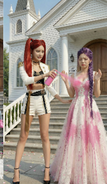
3. Vestido de grafite pronto; Jinu arrasta Abby desacordado de volta
Outside the chapel, A is shocked and amazed as she looks at her wedding dress. Reference [bride, graffiti dress]. C happily stands in front of A holding white and orange graffiti spray cans. B stands at the edge of the frame looking at A in surprise; B's appearance becomes [groom, a little paint]. With one hand B drags D by the collar; D has comically huge bumps all over his head and is knocked out cold and dazed.
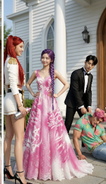
4. Os dois com roupas de grafite, prestes a entrar na capela
At the chapel entrance, A's appearance becomes [bride, graffiti dress] and B's appearance becomes [groom, graffiti suit]. They smile at each other, backs to the camera, about to walk into the cathedral, which is full of blurred American guests in formal wear.
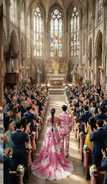
5. A capela inteira aplaude
Inside the chapel, a wide shot. Guests fill the chapel, all wearing formal clothes in [pink] as the main color and white as the secondary color, backs to the camera, applauding and cheering for A and B. A's appearance becomes [bride, graffiti dress] and B's appearance becomes [groom, graffiti suit]. They stand facing each other on the stage, hand in hand, smiling at each other. C stands behind the two of them, smiling and holding a Bible, saying something to A.
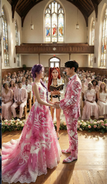
6. Prompts em linha do tempo: clipes de 15 segundos
Estes prompts em linha do tempo são o núcleo do Short. Em Image to Video, escolha o Seedance 2.5 e gere cada segmento com cerca de 15 segundos; o Seedance 2.5 no estúdio aceita de 4 a 30 segundos por geração.
Cada segmento do documento começa com "Reference [number]". Pela ordem das imagens no documento, Reference [0] é o quadro inicial e Reference [1] a [4] são os quadros-chave 2 a 5, em ordem. É uma dedução a partir da disposição; o documento não os identifica um a um. Cada segmento diz primeiro quem é quem na referência e depois dá a linha do tempo.
Notas de uso:
- Para começar exatamente de uma imagem, use o modo de primeiro quadro do Image to Video; para tratar várias imagens como referências de personagens ou cenas, use o modo de referências. Não presuma que os dois modos podem ser combinados; siga os controles mostrados para o modelo selecionado.
- No aiMakeVideo você pode mencionar os recursos enviados como
@Image1,@Image2e assim por diante, o que corresponde às marcações [0], [1] do documento. - Cada segmento termina com "Rich effects and sound effects, no background music, no subtitles", que define os requisitos de som e legendas dentro do próprio prompt.
Reference [0]: o ataque de tinta
Reference [0]
Is the black-haired man, is the purple-braid woman, is the yellow-shirt man.
[0-3s] Fixed-camera frontal medium shot, camera at eye level with the characters, slow dolly zoom in. The purple-braid woman and the black-haired man stand facing each other, exchanging smiling looks. The woman says happily and excitedly, "We’re finally getting married." Her eyes are tender and happy; the lighting is soft. At the same time the floral-shirt man grins, carries a huge bucket of paint in both hands, and runs up to the purple-braid woman.
[4-8s] Cut to a side tracking shot at the floral-shirt man's shoulder height, with slight handheld shake for tension. The floral-shirt man suddenly tips the paint bucket; in slow motion a large amount of paint pours down and splashes across the front of the purple-braid woman's wedding dress, and a little paint splashes onto the black-haired man's clothes. The sound effect is an exaggerated liquid splash. The slow motion ends and it cuts back to the side tracking shot; the floral-shirt man grins, throws away the empty bucket, turns and runs out of frame.
[9-15s] Cut back to the fixed frontal medium shot. The purple-braid woman and the black-haired man are shocked and look at the woman's wedding dress. The purple-braid woman's expression goes from shock to instant collapse; the camera slowly pushes in to a close-up of her face, sad and in pain; she covers her face with both hands and wails, "No!!" Cut to a close-up of the black-haired man's face, low-angle shot to emphasize his presence; his eyes turn from disbelief to burning rage; he grits his teeth and roars, "I'm gonna KILL him!!" and rushes out of frame. The camera cuts back to the frontal medium shot, left with only the purple-braid woman, slowly pushing in toward her as she looks at the ruined wedding dress with trembling hands, big tears rolling down.
Rich effects and sound effects, no background music, no subtitles.
Reference [1]: Mira chega e começa o resgate com sprays
Reference [1]
Is the red-twin-tail woman.
[0-4s] Fixed frontal medium shot, camera at the characters' waist height, slightly low angle. We see the purple-braid woman crying alone in a low voice, shoulders shaking; the red-twin-tail woman is not yet visible. The red-twin-tail woman hurries into frame, the camera panning slightly with her; out of breath, she rushes up beside the purple-braid woman and stops, and the camera steadies again. Her eyes lock onto the wedding dress and her expression freezes. Cut to an over-the-shoulder view from behind the red-twin-tail woman's shoulder, a close-up of the dress as she sees it, then back to the frontal two-person medium shot; she looks up and asks anxiously, "What happened?!"
[5-9s] Cut to a close-up of the purple-braid woman's face, straight-on, with slight handheld shake to suggest emotional instability. She tilts her head back and sobs, tears streaming; her voice trembling and choked, she says, "My wedding..everything is ruined!!" Cut back to the two-person medium shot; the red-twin-tail woman frowns and presses her lips together. Cut to a side close-up at her waist as she quickly pulls a [green] spray can from behind her back, then a close-up of her hand shaking the can hard.
[10-15s] Low-angle shot with the camera close to the ground, from the point of view of the red-twin-tail woman crouching down and looking up at the purple-braid woman. Her gaze is firm as she says, "Hey, I got you. Trust me." Then cut to a low side tracking shot of the red-twin-tail woman bending over and quickly spraying the hem of the purple-braid woman's wedding dress. The purple-braid woman watches her through blurred tears and says sadly, "nothing's gonna fix this..."
Rich effects and sound effects, no background music, no subtitles.
Reference [1] (continuação): pintando o vestido
O documento reutiliza Reference [1] para a parte seguinte da mesma cena:
Reference [1]
[0-5s] Side tracking shot, camera at the red-twin-tail woman's waist height, slowly moving sideways to follow the direction of her spray painting. The purple-braid woman keeps crying, sad and broken down. The red-twin-tail woman is completely focused, smoothly and carefully using spray cans in both hands to create art on the hem of the wedding dress in [green] and white; her movements are continuous and natural, occasionally turning her face to glance at the result before continuing. With an anxious expression she says, "I WILL save this!I promise!!" Rich effects and sound effects, no background music, no subtitles.
Reference [2]: o vestido está pronto, Jinu arrasta Abby de volta
Reference [2]
Is the purple-braid woman, is the red-twin-tail woman, is the black-haired man, is the [yellow-shirt man].
[0-4s] The frame shows the red-twin-tail woman and the purple-braid woman full-body. The red-twin-tail woman slowly stands up, puts away the spray can and lightly claps her hands; only these two are in frame. She smiles at the purple-braid woman and says, "Done!" The purple-braid woman looks down at her wedding dress; her expression goes from sobbing sadly to crying tears of joy, mouth slightly open, eyes red again, both hands gently covering her mouth. The red-twin-tail woman says proudly in an off-screen voice, "Way better now, right?"
[5-8s] Only the black-haired man is in frame, dragging the knocked-out [floral-shirt man] into the shot. He drops him on the ground without a care, with a dull thud; the [floral-shirt man] lies unconscious and motionless. The black-haired man looks up and sees the full figure of the purple-braid woman crying tears of joy; his expression instantly turns to extreme shock, mouth wide open.
[9-11s] Upper-body close-up of the black-haired man, looking anxiously at the red-twin-tail woman and saying, "That's AMAZING! can you make me a matching one?"
[12-14s] Cut to an upper-body close-up of the red-twin-tail woman. The corner of her mouth lifts; she confidently raises the spray can, raises an eyebrow at the camera and says, "Say no more." Then she sprays the can hard straight at the camera; paint quickly covers the entire lens, the camera rushes in toward the nozzle, and the screen goes completely black. The sound effects are the spray-can hiss and paint slapping against the lens. Rich effects and sound effects, no background music, no subtitles.
Rich effects and sound effects, no background music, no subtitles.
Reference [3]: o casal abre as portas
Reference [3]
Is the purple-braid woman, is the black-haired man.
[0-3s] Fixed camera inside the chapel, low angle at floor level, aimed at the central aisle. The chapel's double doors are suddenly pushed open to both sides from the center of the frame, with a heavy sound effect. The first image is a big close-up of the purple-braid woman's and the black-haired man's ankles and shoes, the camera extremely close to the ground; with their backs to the camera, the two slowly step into the chapel, in slow motion.
[4-8s] The camera tilts up slowly in an elegant arc, combined with a dolly out, rising from their feet to the full figures of the two, revealing the full wedding dress of the purple-braid woman and the black-haired man's outfit. The two walk hand in hand slowly toward the depths of the chapel, looking only at each other with gentle smiles; light from deep in the chapel creates a rim-light effect. The camera finally settles on a wide shot of their backs.
[9-13s] Cut to a fixed wide-angle camera at the side of the chapel; the camera pans across the seating. The guests see the purple-braid woman and the black-haired man walk in and gasp in shock; the whole chapel falls into a brief silence, with a suspense sound effect.
Rich effects and sound effects, no background music, no subtitles.
Reference [3] (continuação): Mira muda a roupa dos convidados
O documento também rotula este segmento como "Reference [3]". Use a mesma imagem de referência da capela:
Reference [3]
Is the red-twin-tail woman.
[0-4s] Inside the chapel in front of the doors, low-angle shot. The red-twin-tail woman faces the guests, whose backs are to the camera, raises an oversized [green] spray can high and sprays hard into the chapel. The camera tilts down slowly from a close-up of her hand to a close-up of her mischievous, excited face. A large cloud of [green] smoke spreads into the chapel. She shouts excitedly and passionately, "Let the ceremony begin!!"
[5-10s] Cut to a wide overhead view of the whole chapel interior, with the camera mounted at the center of the ceiling. A dazzling magic effect sweeps in from the direction of the camera, [green] light spreading in waves toward the depths of the chapel. As the light passes over all the guests, all their clothes must turn into [green]-and-white graffiti art style, but the appearance of the bride (purple-braid woman) and groom (black-haired man) in the aisle must not change; they keep walking slowly and gracefully forward along the aisle. The camera slowly pushes down. After each guest's clothes change color, they look in shock at their own clothes and those of the people beside them.
[11-15s] Cut to a fixed wide-angle camera at the side inside the chapel. The whole audience is dressed in [green] graffiti art style and bursts into cheers and applause; the wide angle shows the joyful full view of the chapel. Then the camera dollies in along a smooth arc and cuts back to a medium shot deep in the chapel; the bride (purple-braid woman) and groom (black-haired man) in the aisle must walk slowly forward, exchange a happy smile, and thunderous applause surrounds them.
Rich effects and sound effects, no background music, no subtitles.
Reference [4]: os votos e o beijo
Reference [4]
Is the red-twin-tail woman, is the purple-braid woman, is the black-haired man.
[0-2s] Low-angle camera at the side of the chapel; the camera slowly slides sideways in an arc and cranes up into the scene, gracefully pushing in to the center of the chapel. The purple-braid woman and the black-haired man stand facing each other, the whole room applauding and cheering; they look at each other with smiles. Cut to a side close-up of the purple-braid woman's face; her eyes are red and a tear slides from the corner of her eye. She doesn't wipe it away, just smiles happily.
[3-5s] Cut to a frontal medium shot of the red-twin-tail woman, camera level at chest height. She smiles at the black-haired man and says in a gentle, clear voice, "You may now kiss the bride."
[6-10s] Cut to a frontal close-up of the black-haired man's face, camera level with his eyes, slowly pushing in. His eyes are slightly red and he says in a low, choked voice, "I love you. So much."
[11-13s] Cut to a frontal close-up of the purple-braid woman's face. After hearing him, tears slide silently down, her lips tremble, and she says softly and chokingly, "I love you too." The sound consists only of the two of them breathing softly and the occasional sobs from the seats in the distance.
[14-15s] Cut to a level side shot of the two, in slow motion. The black-haired man slowly raises his hand and gently cups the purple-braid woman's face, his thumb tenderly wiping the tears from her cheek. Their foreheads touch and rest for a moment, then they kiss; the whole room erupts in cheers and applause, the camera slowly dollies out, the picture slowly fades out, and the sound is left with only applause and cheering.
Rich effects and sound effects, no background music, no subtitles.
Como esses prompts são escritos
- Uma referência clara por segmento. Cada take começa com "Reference [n]" e uma linha curta dizendo quem é quem; depois descreve a ação.
- Linhas do tempo em batidas curtas. Cada batida tem de 3 a 6 segundos e é um take com um único acontecimento: altura da câmera, tamanho do plano, movimento, expressão, diálogo e som são especificados.
- As mudanças de figurino vêm de referências, não de descrições. Os quadros-chave dizem "X's appearance becomes [reference]" e exigem que o design da peça não mude e só se adicione tinta.
- Os diálogos são curtos. Cada fala é uma única frase; a emoção (desabar, surpresa, voz embargada) é escrita na descrição da ação.
- O som é especificado sempre. Cada segmento indica efeitos sonoros, sem música de fundo e sem legendas; música e legendas são adicionadas na edição.
Confira isto antes de reproduzir
A fonte é uma nota de trabalho e alguns detalhes não são totalmente consistentes. Resolva-os antes de gerar:
- Cor dos sprays: nos quadros-chave Mira segura latas brancas e [orange]; nos prompts em linha do tempo são [green]. Escolha uma cor e mantenha.
- O nome do vilão: o mesmo personagem é chamado de "villain", "yellow-shirt man" e "floral-shirt man". Use uma só expressão nos seus prompts.
- Reference [3] aparece duas vezes: a segunda é a transformação com spray de Mira nas portas da capela; o documento continua escrevendo [3], então use a mesma imagem de referência da capela.
- Cor principal do grafite: o quadro inicial e o passo de cor usam [pink]; a transformação na capela usa [green]. Mantenha a diferença se quiser que a roupa dos convidados se distinga da do casal; caso contrário, unifique em uma só cor.
Experimente no aiMakeVideo
- Crie imagens de referência do noivo, da noiva, da amiga e do vilão com Text to Image ou Image to Image.
- Crie os estados de figurino manchado de tinta e de grafite de cada personagem com Image to Image.
- Crie o quadro inicial e um quadro-chave para cada etapa da história.
- Cole os prompts em linha do tempo em Image to Video, um segmento por vez.
- Junte os clipes no Short final e adicione legendas na edição, se precisar.
Quando estiver pronto, abra o estúdio de criação ou leia primeiro o guia de prompts e modelos. Para outro exemplo prático, uma comédia em câmera lenta construída sobre uma única imagem de referência, veja Comédia em câmera lenta com o Seedance 2.5 no aiMakeVideo.