Open studio

Nano Banana 2 AI Image Generator

Generate and edit images with Nano Banana 2, the fast Gemini image model. Pick 0.5K to 4K, add up to 14 reference images, and start from the sample prompts below.

References stay in this session only. Reattach them after reopening a draft.

Estimated cost: 14 credits (Nano Banana 2)

What Nano Banana 2 can do

Every image below was made with Nano Banana 2 at 1K. Tap Recreate to load the exact prompt into the generator above.

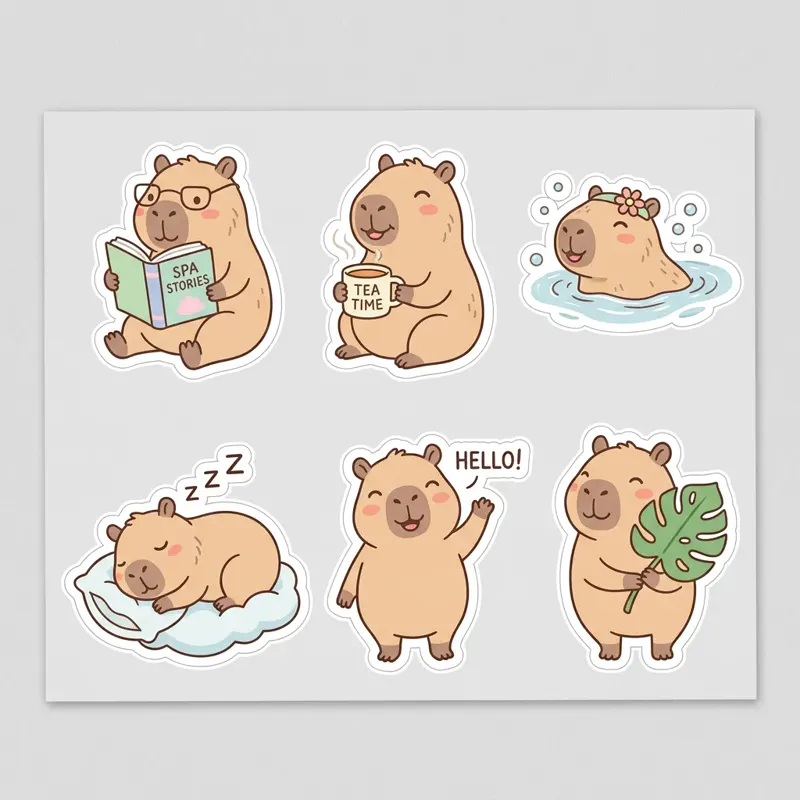
AI-generated sheet of six die-cut capybara stickers in pastel colors — made with Nano Banana 2 at 1K1:1

A sheet of six cute die-cut stickers of a happy capybara in different poses (reading, drinking tea, swimming, sleeping, waving, holding a leaf), thick white borders, flat pastel colors, clean vector style, on a plain light gray background.

Draft at 0.5K, finish at 4K

Start at 0.5K while the idea is still moving, then take the same prompt to 4K once it is final — the cheapest way to iterate on this page.
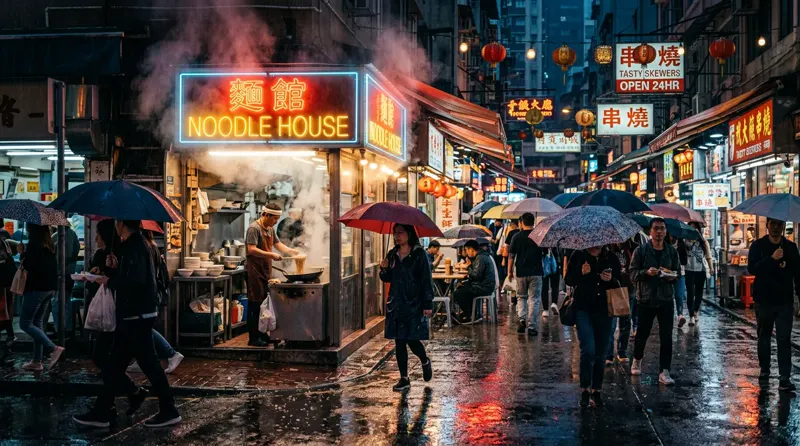
AI-generated rainy night street food market with a glowing "NOODLE HOUSE" neon sign, steam rising and wet asphalt reflections — made with Nano Banana 2 at 1K16:9

A rainy night street food market in a busy city, a glowing neon sign that reads "NOODLE HOUSE", steam rising from a stall, people with umbrellas, wet pavement reflecting colorful lights, photorealistic, cinematic composition.

A new take every few seconds

Most images come back in about 5 to 30 seconds, so trying three directions in a row stays practical.

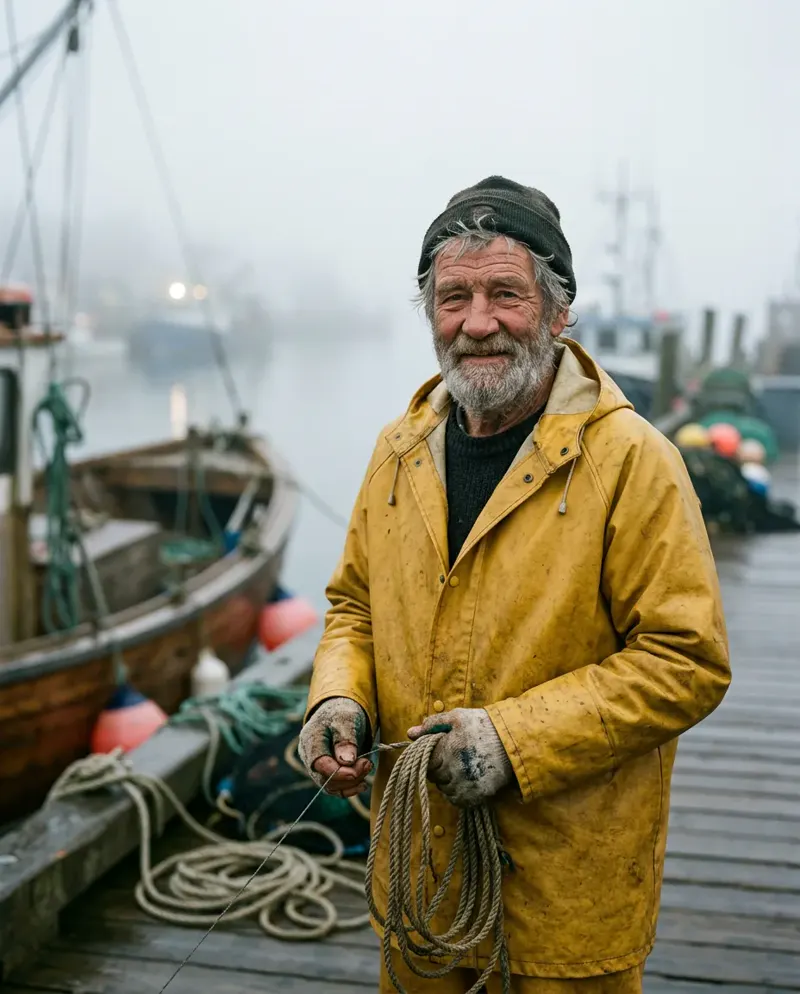
AI-generated editorial portrait of an elderly fisherman in a yellow raincoat on a misty harbor at dawn — made with Nano Banana 2 at 1K4:5

Editorial portrait of an elderly fisherman with a weathered face and a gray beard, wearing a yellow raincoat, standing on a misty harbor at dawn, soft diffused light, natural skin texture, 85mm lens, shallow depth of field.

Fourteen references, one edit

Restyle a single photo, combine several or change just the detail you describe — up to 14 reference images per run.

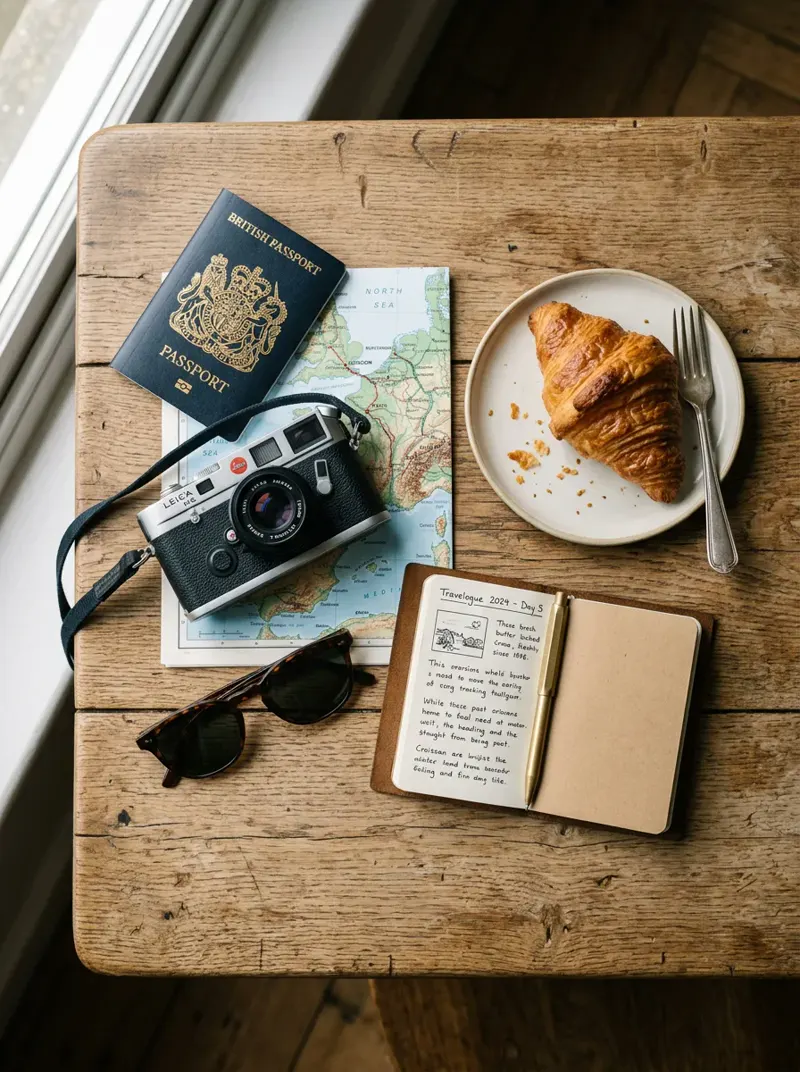
AI-generated top-down flat lay of travel packing: passport, film camera, paper map, sunglasses and a croissant — made with Nano Banana 2 at 1K3:4

Top-down flat lay of a travel packing set on a wooden table: a passport, a film camera, a folded paper map, sunglasses, a small notebook and a croissant on a plate, soft morning light, tidy composition, muted warm tones.

The tallest frames of the family

Its 1:4 and 1:8 ratios are the ones Nano Banana Pro does not offer, next to 21:9, 16:9, 9:16 and 1:1.

Nano Banana 2 specs

Output resolutions0.5K, 1K, 2K and 4K output
Supported ratios14 ratios from the tallest 1:8 and 1:4 to the widest 8:1 and 4:1, plus 21:9, 16:9, 9:16 and 1:1, or auto
Reference photosUp to 14 images as references: edit, restyle or combine them
Web searchOptional web search grounding for current facts
ProvenanceEvery image carries a SynthID watermark

Nano Banana 2 vs Nano Banana Pro

Both are Gemini image models. What changes for you:

What changesNano Banana 2Nano Banana Pro
Sizes offered0.5K, 1K, 2K, 4K1K, 2K, 4K
Typical waitAbout 5 to 30 secondsAbout 8 to 40 seconds
Aspect ratiosIncludes the very tall and wide 1:4 and 1:8A narrower set, without 1:4 and 1:8
Best forFast iteration and everyday workPremium production work

How to use Nano Banana 2

  1. Describe the image

    Describe the image, put any text you want to see in quotation marks, and name the style and the light.

  2. Choose 0.5K to 4K and references

    Start at 0.5K or 1K to iterate, and use 2K or 4K for finals. Pick an aspect ratio and add up to 14 reference images to edit or combine.

  3. Generate, then refine

    Run it, then feed the result back in as a reference and change a single thing per run.

What people make with Nano Banana 2

Stickers, icons and assets

Sheets of stickers and simple graphics on plain backgrounds.

Photo-real scenes and portraits

Street scenes, product settings and editorial portraits with natural light.

Edits from reference photos

Restyle, combine or adjust photos you already have.

Tips for better Nano Banana 2 results

  • Keep any text you want in the image short and wrap it in quotation marks.
  • Iterate at 0.5K or 1K, then re-run the best prompt at 2K or 4K.
  • Change one thing per run and pass the last result back in as a reference.

Pricing - AI Video Maker Credit Packs & Plans

Pick the plan that matches your pace

New accounts get up to 10 free credits — no credit card required. Plans and credit packs work worldwide.

Subscribers get +20% extra credits at the same price

900 Credits

$9.9/ one-time

Subscribers receive: 1,080

  • Up to 450 fast images
  • Up to 18 basic videos
  • Every image and video model
  • Valid for 6 months
  • No subscription, never auto-renews

5,500 Credits

$49.9/ one-time

Subscribers receive: 6,600

  • Up to 2,750 fast images
  • Up to 110 basic videos
  • Every image and video model
  • Valid for 6 months
  • No subscription, never auto-renews

12,000 Credits

$99.9/ one-time

Subscribers receive: 14,400

  • Up to 6,000 fast images
  • Up to 240 basic videos
  • Every image and video model
  • Valid for 6 months
  • No subscription, never auto-renews

Subscriptions renew until canceled. Credit packs are one-time and expire 180 days after grant. Refunds & Billing · Terms · Privacy Policy · Contact Us · Pricing

aiMakeVideo is an independent AI video platform and is not affiliated with the model providers.

Nano Banana 2 FAQ

What is Nano Banana 2?

Nano Banana 2 (model ID gemini-3.1-flash-image-preview) is Google’s fast image generation and editing model from the Gemini 3.1 Flash family, with 0.5K to 4K output and up to 14 reference images.

How much does Nano Banana 2 cost on aiMakeVideo?

It runs on credits: Nano Banana 2 bills per image, cheapest at 0.5K, and the exact cost appears on the Generate button. A run that fails for a technical reason is refunded automatically.

Do I need an account to use Nano Banana 2?

Yes. Sign in with a free account; every Nano Banana 2 run is billed to your credit balance.

Which sizes and aspect ratios can I choose?

0.5K, 1K, 2K and 4K output and 14 aspect ratios from 1:8 to 8:1, including 21:9, 16:9, 9:16 and 1:1, or auto.

Can I edit my own photos with it?

Yes. Add up to 14 reference images and describe the change. Only use images you own or have permission to edit. Generated images carry a SynthID watermark.