Open studio

Kling 4.0 AI Video Generator

Generate video with Kling 4.0 from a prompt, a first frame, first and last frames, or reference images and videos. Every clip comes with its own sound, up to 30 seconds long. Start from the sample prompts below.

References stay in this session only. Reattach them after reopening a draft.

Estimated cost: 129 credits (Kling 4.0)

What Kling 4.0 can do

Both clips below were made with Kling 4.0 at 720p, 3 seconds. The previews play muted. Tap Recreate to load the exact prompt into the generator above.

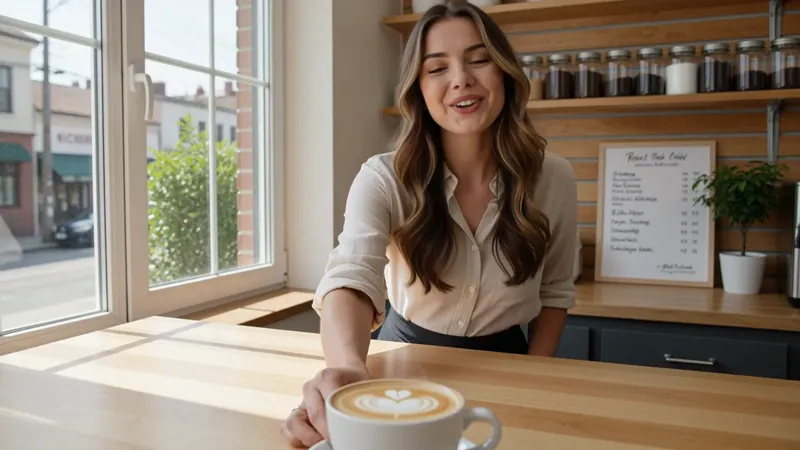
AI-generated video of a barista in a sunlit cafe sliding a latte across the counter and smiling at the camera — Kling 4.0, 720p, 3 seconds, 16:916:9 · 3s

A barista in a small sunlit cafe slides a cup of latte across the counter, smiles at the camera and says: "Your coffee is ready." Gentle cafe ambience, cups clinking.

Sound and speech in the same render

Kling 4.0 generates native audio with every clip: ambience, effects and spoken lines. Put dialogue in quotes in the prompt and the character says it, with matching lip movement.
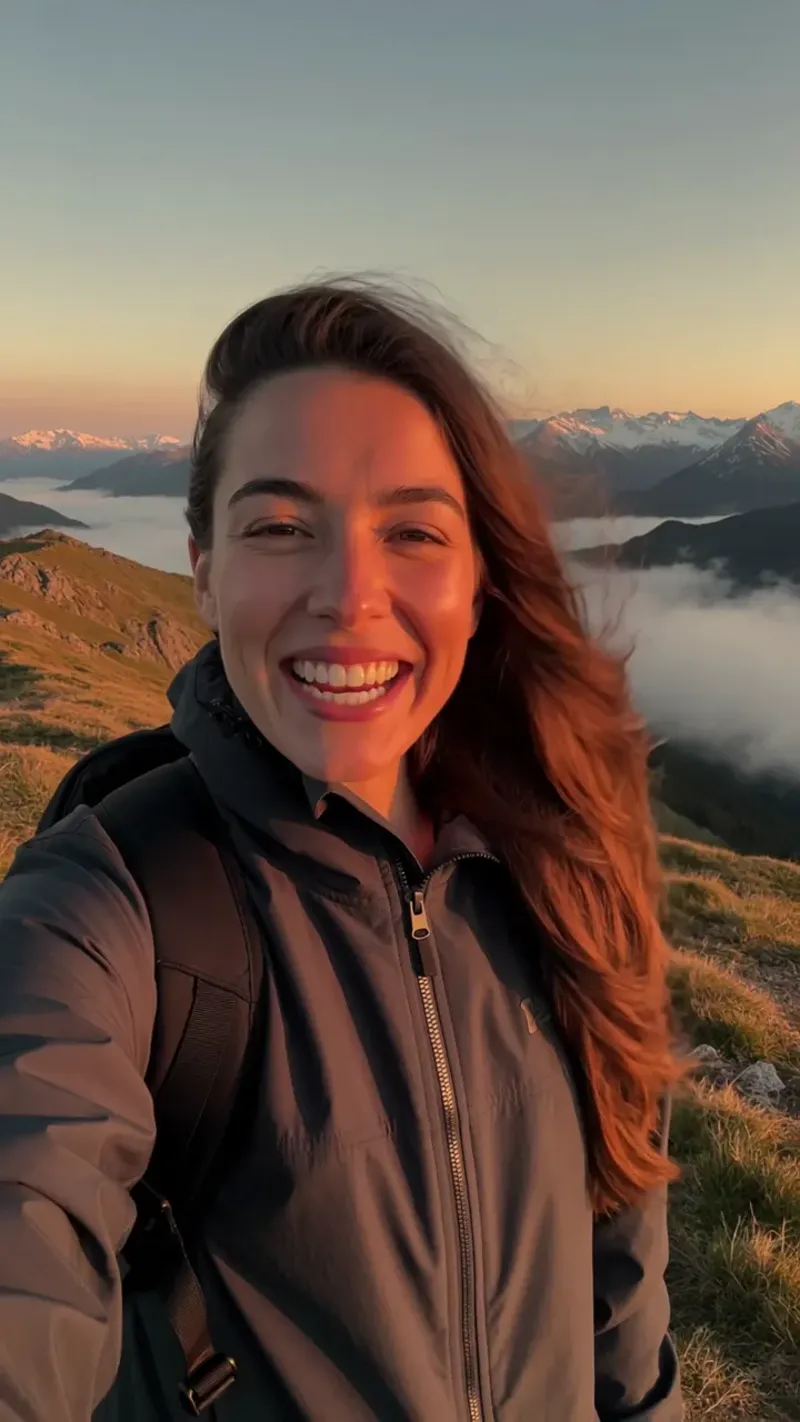
AI-generated vertical video of a hiker on a windy mountain ridge at golden hour turning to the camera with a grin, hair and jacket blowing in the wind — Kling 4.0, 720p, 3 seconds, 9:169:16 · 3s

Vertical selfie-style shot: a young woman hiking on a windy mountain ridge at golden hour turns to the camera, grins and says: "We made it to the top!" Her hair and jacket flutter in the wind, clouds drift through the valley below, wind rushing.

Any shape, up to 30 seconds

Render 3 to 30 seconds in 16:9, 9:16, 1:1 or 21:9 at 720p or 1080p. With a first frame, the clip keeps that image's shape.

Kling 4.0 specs

Resolution720p and 1080p
Length per clip3 to 30 seconds per clip
Frame shapes16:9, 9:16, 1:1 and 21:9; frame tasks follow the first frame
AudioNative audio, including speech; always on without a reference video
What it takesText, a first frame, first and last frames, or up to 10 reference images and 5 reference videos

Kling 4.0 vs Kling 3.0

Both are available here. What changes for you:

At a glanceKling 4.0Kling 3.0
Video length3 to 30 seconds3 to 15 seconds
SoundAlways generated, at no extra costOptional Sound switch, costs more
ReferencesUp to 10 images and 5 videosFirst and last frame only
Highest resolution1080p4K

How to use Kling 4.0

  1. Describe the shot and what is heard

    Describe the subject, the action, the camera and the light, then the sound. Write any spoken line in quotes.

  2. Add frames or references if you have them

    Leave the frame empty for text to video, add a first frame (and a last frame) to control the shot, or switch to Reference to bring in up to 10 images and 5 videos and mention them as @Image1 or @Video1.

  3. Pick length and resolution, then generate

    Choose 3 to 30 seconds and 720p or 1080p; the exact cost shows on the Generate button. Watch the result and change one part of the prompt at a time.

What people make with Kling 4.0

Talking clips and short ads

A character or presenter who speaks a line, with the room's sound around them.

Longer single shots

Up to 30 seconds in one take, for scenes that need time to unfold.

Scenes built from your own material

Reference images and videos to keep a product, a character or a motion consistent.

Tips for better Kling 4.0 results

  • Put dialogue in quotes and keep it short: one line per few seconds of video.
  • Name the sounds you want, such as rain, footsteps or a crowd.
  • Try an idea at 720p and a short length first, then render the final at 1080p or longer.

Pricing - AI Video Maker Credit Packs & Plans

Pick the plan that matches your pace

New accounts get up to 10 free credits — no credit card required. Plans and credit packs work worldwide.

Subscribers get +20% extra credits at the same price

900 Credits

$9.9/ one-time

Subscribers receive: 1,080

  • Up to 450 fast images
  • Up to 18 basic videos
  • Every image and video model
  • Valid for 6 months
  • No subscription, never auto-renews

5,500 Credits

$49.9/ one-time

Subscribers receive: 6,600

  • Up to 2,750 fast images
  • Up to 110 basic videos
  • Every image and video model
  • Valid for 6 months
  • No subscription, never auto-renews

12,000 Credits

$99.9/ one-time

Subscribers receive: 14,400

  • Up to 6,000 fast images
  • Up to 240 basic videos
  • Every image and video model
  • Valid for 6 months
  • No subscription, never auto-renews

Subscriptions renew until canceled. Credit packs are one-time and expire 180 days after grant. Refunds & Billing · Terms · Privacy Policy · Contact Us · Pricing

aiMakeVideo is an independent AI video platform and is not affiliated with the model providers.

Kling 4.0 FAQ

What is Kling 4.0?

Kling 4.0 is Kuaishou's latest video generation model. It creates clips of 3 to 30 seconds from text, a first frame, first and last frames, or reference images and videos, and generates sound together with the picture.

How much does Kling 4.0 cost on aiMakeVideo?

It runs on credits, priced per second by resolution, and reference videos add to the price; the exact cost appears on the Generate button before you start. A run that fails for a technical reason is refunded automatically.

Do I need an account to use Kling 4.0?

Yes. Sign in with a free account; every Kling 4.0 run is billed to your credit balance.

Does Kling 4.0 make sound?

Yes. Without a reference video, every clip comes with native audio, and there is no switch to turn it off. Describe the sounds you want and write spoken lines in quotes. When you attach a reference video, that video's own sound is not kept.

How long can a Kling 4.0 clip be?

From 3 to 30 seconds, in whole seconds, at 720p or 1080p.