
Your photo is the first frame
The video starts from the photo itself, not from a redrawn copy, so faces, poses and details stay as they are.
AI Effects · Old Photo Animation
Upload an old family photo and watch the people in it blink, smile and turn toward you. The photo itself is the first frame, so every face stays exactly as you remember it.
Old photoA scan or a clear phone photo of the print
155 credits · 5 s · Standard 480p
Sign in to add photos. Credits stay valid for 6 months. Get creditsThe exact photos we uploaded and the video this effect made from them, unedited.
A 1950s studio portrait, animated with Blink & smile at standard 480p.
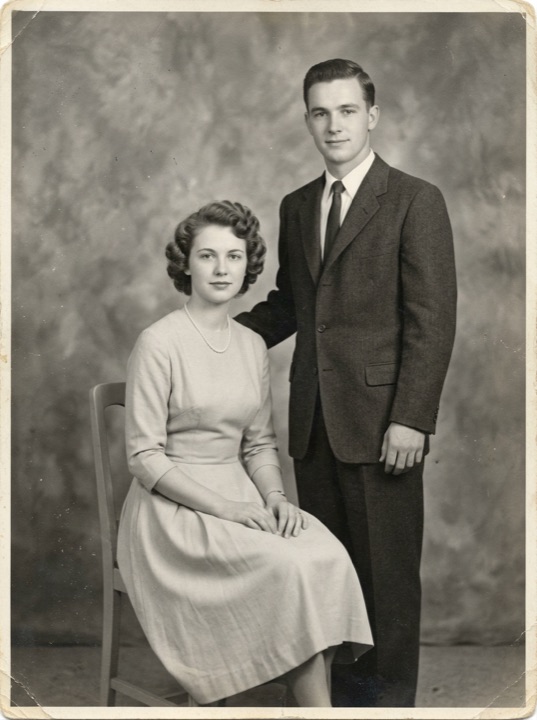
Uploaded photos
The people in these example photos are AI-generated and not real.
Upload a scan, or a straight-on phone photo of the print with no glare.
A blink and a smile, or a turn toward the camera and a wave. Then choose standard or HD.
The video is ready in a few minutes, in the same shape as your photo. Download the MP4 or find it later in your Assets.
An old photo is a memory, not a starting point for a new picture.
The video starts from the photo itself, not from a redrawn copy, so faces, poses and details stay as they are.
Black and white stays black and white; faded color, grain and paper texture are kept, not modernized.
A breath, a blink, a smile or a small wave. Nothing dramatic, nothing that is not in the photo.
Your photos and videos stay in your own account. We never publish them to a public gallery.
Show the family what great-grandparents looked like when they smiled.
A short, gentle clip for a memorial slideshow or an anniversary of a loss.
Let a decades-old wedding or class photo move for one more moment.
Pick the plan that matches your pace
Subscribers get +20% extra credits at the same price
Subscribers receive: 1,080
Subscribers receive: 3,600
Subscribers receive: 6,600
Subscribers receive: 14,400
Subscriptions renew until canceled. Credit packs are one-time and expire 180 days after grant. Refunds & Billing · Terms · Privacy Policy · Contact Us · Pricing
aiMakeVideo is an independent AI video platform and is not affiliated with the model providers.
FAQ
A sharp scan, or a straight-on phone photo of the print without glare, where the faces are clearly visible. One person or a small group both work.
No. The photo is the first frame of the video, and the effect is built to keep the original faces, colors and grain. Black and white stays black and white.
Run it through Old Photo Restoration first to fix scratches, creases and fading, then animate the restored photo.
Each video is 5 seconds and silent, in the same shape as your photo. The price for standard and HD is shown next to the Create my video button, and a run that fails for a technical reason is refunded automatically.
Yes, if the photo is yours to use, for example a family photo. Please be respectful, and only use photos you have the right to share.
One photo, one tap, the same faces, moving again.
Animate my photo