Open studio

Christmas AI

AI Christmas Video Generator

Turn one photo into a dancing Christmas elf, or catch Santa leaving presents on your own home camera. No filming, no costume, ready in a few minutes.

  • 15 s Elf Dance
  • 10 s Santa Cam
  • No filming
  • Ready for TikTok and Reels
01Pick a video
02Add your photoOne adult · face clearly visible

YouBecomes the elf

A clear, front-facing photo works best, ideally waist-up or full body. Your face, hair and build stay yours; the costume is added.

03Pick the place
04Pick the sound

800 credits · 15 s · 720p · 9:16

Sign in to add photos. Credits stay valid for 6 months. Get credits

From one photo to Christmas

One render per video: a person turned into a dancing elf, and Santa caught on a home camera.

Elf Dance · 15 seconds · Living room · Christmas tune

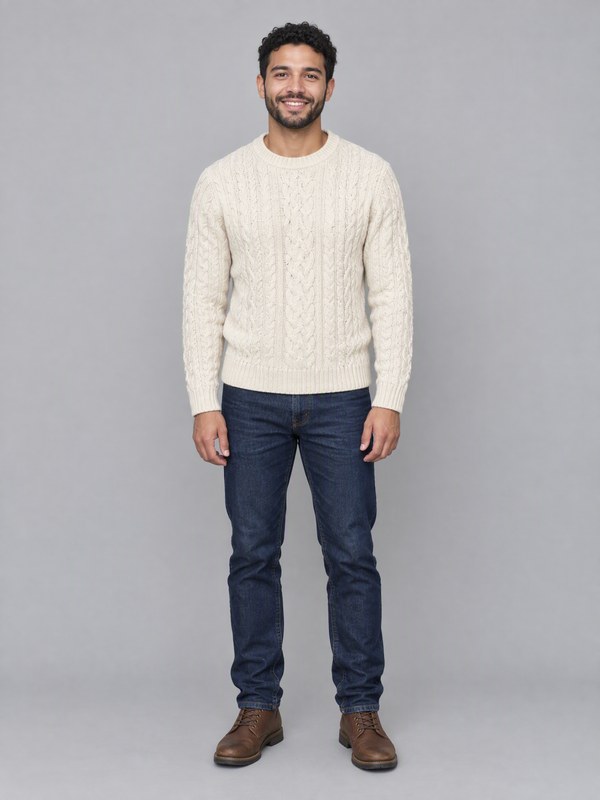
  • Input photo: the personInput photo: the person

Santa Cam · 10 seconds · Living room · Night vision · Night sounds

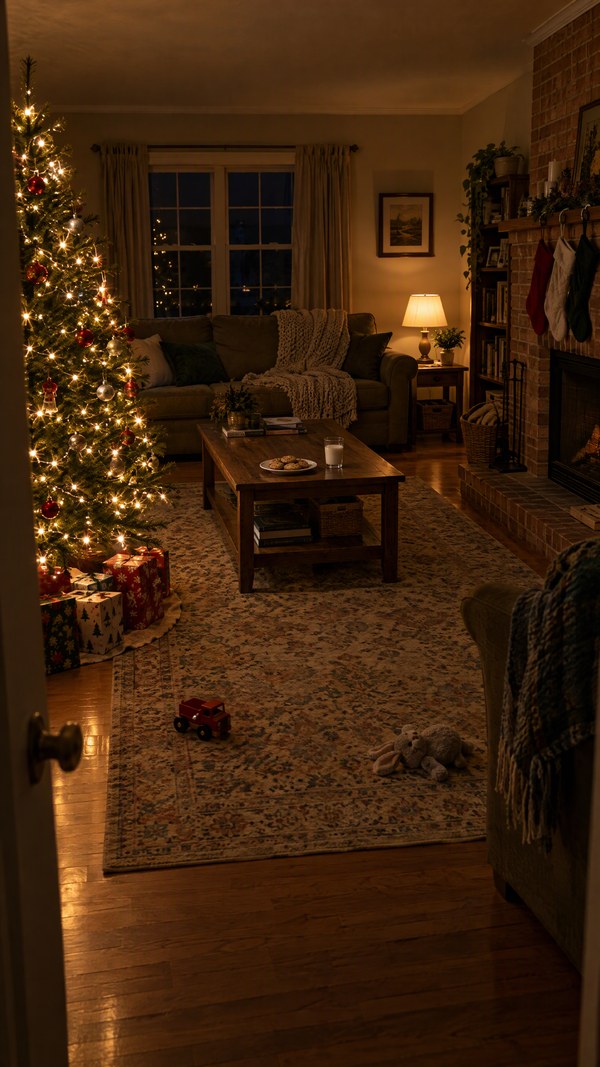
  • Input photo: the roomInput photo: the room

Both examples use AI-generated photos: the person and the room are not real.

Two Christmas videos, one page

The moves, the camera and the timing are fixed for you. Your photo decides who dances, or whose home Santa visits.

You, as a dancing elf

You start in your own clothes; a swirl of golden sparkles turns them into a full elf costume, with a striped hat, pointy ears and curled-toe shoes. Then you hop, jog, spin and finish with a wink. Your face, hair and build stay yours.

Santa, caught on your camera

Santa tiptoes into your own living room, or up to your front door, leaves presents, notices the camera and waves. Your room stays exactly as it is in the photo.

Kind enough for kids

Santa Cam needs no one's photo, only your room, and Santa is always cheerful and gentle: nothing sneaky or scary. Children only have to watch.

Credits back if it fails

A render that fails returns to your balance. No ticket, no waiting.

Elf Dance places

Pick where your elf dances

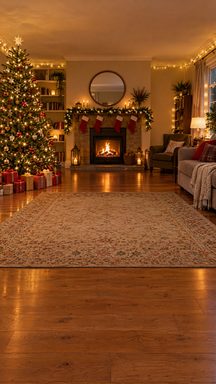
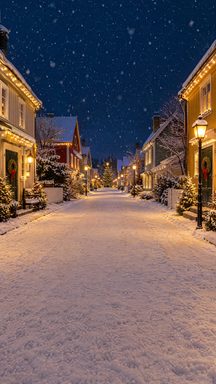
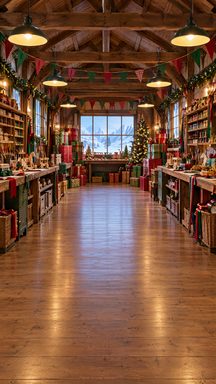
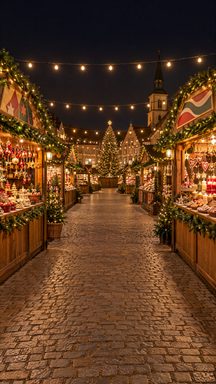
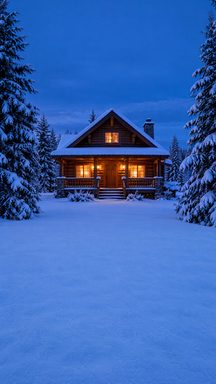
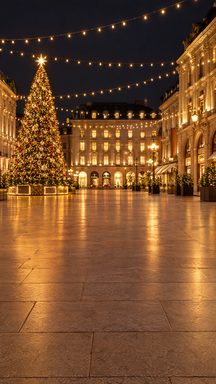
Six empty Christmas places made for this shot, all seen from a phone on a tripod.

Living room
Living room
Snowy street
Snowy street
Toy workshop
Toy workshop
Christmas market
Christmas market
Log cabin
Log cabin
City square
City square

Or upload your own photo of an empty place. Results vary with the photo: a shot taken at chest height, with some floor in front, works best.

How to make an AI Christmas video

Three steps, a few minutes.

  1. 1Pick Elf Dance or Santa Cam

    Elf Dance turns you into a dancing elf; Santa Cam shows Santa visiting your home on camera.

  2. 2Add one photo

    For the elf, one adult, face clearly visible. For Santa Cam, your living room or front door with nobody in it.

  3. 3Render, download, share

    15 or 10 seconds, 720p, vertical 9:16, no watermark. Send it to the family chat or post it on TikTok, Reels or Shorts.

What is an AI Christmas video?

An AI Christmas video is a short holiday clip made from a photo instead of a camera shoot. Here it comes in two kinds: an elf dance, where you appear in a Christmas place, turn into an elf in a shower of sparkles and dance; and Santa Cam, where a photo of your room becomes home-camera footage of Santa leaving presents.

Both are AI-generated holiday effects, not real footage. Families use the elf dance as a funny greeting card and Santa Cam as a little surprise for children on Christmas morning.

The holiday story: dancing elves and Santa on camera

Putting your own face on a dancing elf is a Christmas habit that goes back to 2006, when a retailer's holiday website let people paste faces of friends and family onto dancing elves and send the clip as an e-card. It drew about 36 million visits in its first season and about 193 million in its second, and dancing-elf cards have come back every December since.

Catching Santa on camera is a newer habit. Phone apps began staging Santa in photos of a family's own living room, made to look like a security-camera still, and parents later shared doorbell and home-camera clips of a Santa visit. With AI video, a single photo of your room is now enough for a moving clip.

Timeline

  1. December 2006A retailer's holiday site lets people put their own faces on dancing elves and send the clip as an e-card: about 36 million visits in its first season.
  2. 2007The dancing elves return for a second December and draw about 193 million visits; the elf e-card becomes a yearly habit.
  3. 2021Phone apps let parents "catch" Santa in a photo of their own living room, styled like a security-camera still.
  4. December 2023The Wall Street Journal reports AI-made Santas are suddenly everywhere, with parents ordering personalised AI Santa videos for their children.
  5. 2025AI video tools turn one photo of a family's own room into "Santa caught on camera" clips, shared like home-camera footage, and AI elf dances made from one face photo spread.

Sources: Dancing elves, 2006–2008 (Chief Marketer) · A catch-Santa photo app (Yahoo) · AI Santas in 2023 (The Wall Street Journal) · "Santa caught on camera" on TikTok

What happens in the 15-second Elf Dance

The moves and the timing are the same for everyone; your photo decides who dances.

0–1 sYou stand in the middle in your own clothes, smiling at the lens
1–2.5 sA little hop and a swirl of golden sparkles: you are dressed as an elf
2.5–7 sA bouncy jog in place, knees high, arms swinging
7–10.5 sOne full spin, then jazz hands to the beat
10.5–12.5 sQuick little steps toward the camera
12.5–15 sWaist-up, hands framing your face, and a big wink

What happens in the 10-second Santa Cam

One fixed camera, one continuous shot. Your room stays exactly as in your photo.

0–1 sThe room is still and empty, just like your photo
1–3 sSanta tiptoes in with a big sack of presents
3–7 sHe kneels by the tree (or by the doormat at the front door) and sets the presents down
7–10 sHe notices the camera, winks, waves and smiles

The photo that works best for the Elf Dance

One adult, facing the camera, with the whole face sharp and uncovered: no sunglasses, masks or heavy filters. Waist-up or full-body photos work best, because they show your build; from a head-and-shoulders photo the rest is guessed.

Only photos of adults are accepted, with no other people in them. The costume, the place and the moves are added for you, so your clothes and the background of the photo do not matter.

The room photo that works best for Santa Cam

Stand in a corner and hold your phone up high, the way a home camera looks down at a room. Get the Christmas tree or the fireplace in the frame, with some empty floor in front of it, where Santa can kneel. For the front door, take it from above the door, looking down at the doormat.

Nobody should be in the photo. A tidy room with a few lamps on looks best; Night vision turns it into black-and-white camera footage, and Color keeps it as it is. A doorbell-camera screenshot works too if it is sharp.

Pricing - AI Video Maker Credit Packs & Plans

Pick the plan that matches your pace

New accounts get up to 10 free credits — no credit card required. Plans and credit packs work worldwide.

Subscribers get +20% extra credits at the same price

900 Credits

$9.9/ one-time

≈ 18 videos5s · 480p each

Subscribers receive: 1,080

  • Up to 450 fast images
  • Up to 18 basic videos
  • Every image and video model
  • Valid for 6 months
  • No subscription, never auto-renews

5,500 Credits

$49.9/ one-time

≈ 110 videos5s · 480p each

Subscribers receive: 6,600

  • Up to 2,750 fast images
  • Up to 110 basic videos
  • Every image and video model
  • Valid for 6 months
  • No subscription, never auto-renews

12,000 Credits

$99.9/ one-time

≈ 240 videos5s · 480p each

Subscribers receive: 14,400

  • Up to 6,000 fast images
  • Up to 240 basic videos
  • Every image and video model
  • Valid for 6 months
  • No subscription, never auto-renews

Subscriptions renew until canceled. Credit packs are one-time and expire 180 days after grant. Refunds & Billing · Terms · Privacy Policy · Contact Us · Pricing

aiMakeVideo is an independent AI video platform and is not affiliated with the model providers.

Questions

AI Christmas Video FAQ

What is the AI elf dance?

A 15-second vertical video made from one photo of you: you start in your own clothes in a Christmas place, a swirl of golden sparkles turns you into an elf, and you dance and end with a wink. It costs 800 credits.

What is Santa Cam?

A 10-second clip that looks like your own home camera filmed Santa: he tiptoes into the room you photographed, or up to your front door, leaves presents and waves at the lens. It costs 600 credits.

Are "Santa caught on camera" videos real?

No. They are AI-generated holiday effects, including the ones this page makes: the room comes from your photo and Santa is added by AI. Many families use them as a playful surprise for children on Christmas morning.

Can I upload photos of my kids?

For the elf dance, no: only photos of adults are accepted. Santa Cam needs no one's photo at all, only your room or front door, so the children just get to watch.

What room photo works best for Santa Cam?

An empty room, taken from high up in a corner like a home camera, with the tree or fireplace and some floor in view. For the front door, take it from above the door looking down at the doormat. No people in the photo.

Can my dog be an elf?

Not yet. For now the elf dance takes one photo of an adult; a pet version with an elf hat and a bell collar is being tested.

Does the video include a Christmas song?

The elf dance comes with our own jingle-bell arrangement, timed to the moves: an original recording of the public-domain melody, not any existing song or recording. Santa Cam comes with quiet night sounds and faint sleigh bells. You can choose Silent for either.

How does this generator work?

Pick Elf Dance or Santa Cam, add one photo, choose the options and press the button. The moves, the camera and the timing are fixed; the face and look come from your photo, or for Santa Cam, the room does.

What photo works best for the elf dance?

One adult, sharp and evenly lit, facing the camera with the whole face visible. Waist-up or full body is best. Avoid sunglasses, masks, heavy filters and group photos.

How much does it cost?

800 credits for a 15-second Elf Dance and 600 credits for a 10-second Santa Cam, whatever options you pick. The $9.90 pack covers one video of either kind, larger packs cost less per video, and a failed render is returned to your balance.

Can I use my own place for the elf dance?

Yes. Choose Your own place and upload a photo of an empty place, taken at chest height with some floor in front. Photos with people in them are turned away. Results vary more than with our six places.

How long are the videos, and what format?

Elf Dance is 15 seconds and Santa Cam is 10 seconds, both 720p, vertical 9:16 MP4, with no watermark, ready for TikTok, Reels, Shorts or the family chat.

Can Santa Cam be in color?

Yes. Night vision is the default, black-and-white like a real home camera at night; choose Color to keep the colors of your photo.

How long does it take, and what if it fails?

Usually a few minutes; you can close the tab, and the finished video waits in My videos. A failed render returns the credits straight to your balance. If a finished video is clearly broken, write to support and we will look at it.

Are you affiliated with any holiday brand or camera maker?

No. This is an independent tool with no connection to any holiday website, app, toy, film or camera brand. The videos are AI-generated holiday effects, not real footage.

More AI video tools

Every tool turns your photos into a short vertical video. One credit balance works on all of them.

An independent tool. The videos are AI-generated holiday effects, not real footage, and are not affiliated with any holiday website, app, toy, film or camera brand.

Ready for a Christmas surprise?

One photo. A dancing elf, or Santa caught on camera.

Make my Christmas video