Open studio

Seedream 5.5 AI Image Generator

Create and edit images with Seedream 5.5, the image model ByteDance Seed released in November 2026. Render at 1K, 1.5K or 2K in eight frame shapes, and add up to 10 reference images to edit a picture one change at a time.

References stay in this session only. Reattach them after reopening a draft.

Estimated cost: 7 credits (Seedream 5.5)

Where Seedream 5.5 shines

Two images were made with Seedream 5.5 at 2K and two at 1.5K, from the prompt alone; each title names its size. Tap Recreate to load the prompt and that size into the generator above.

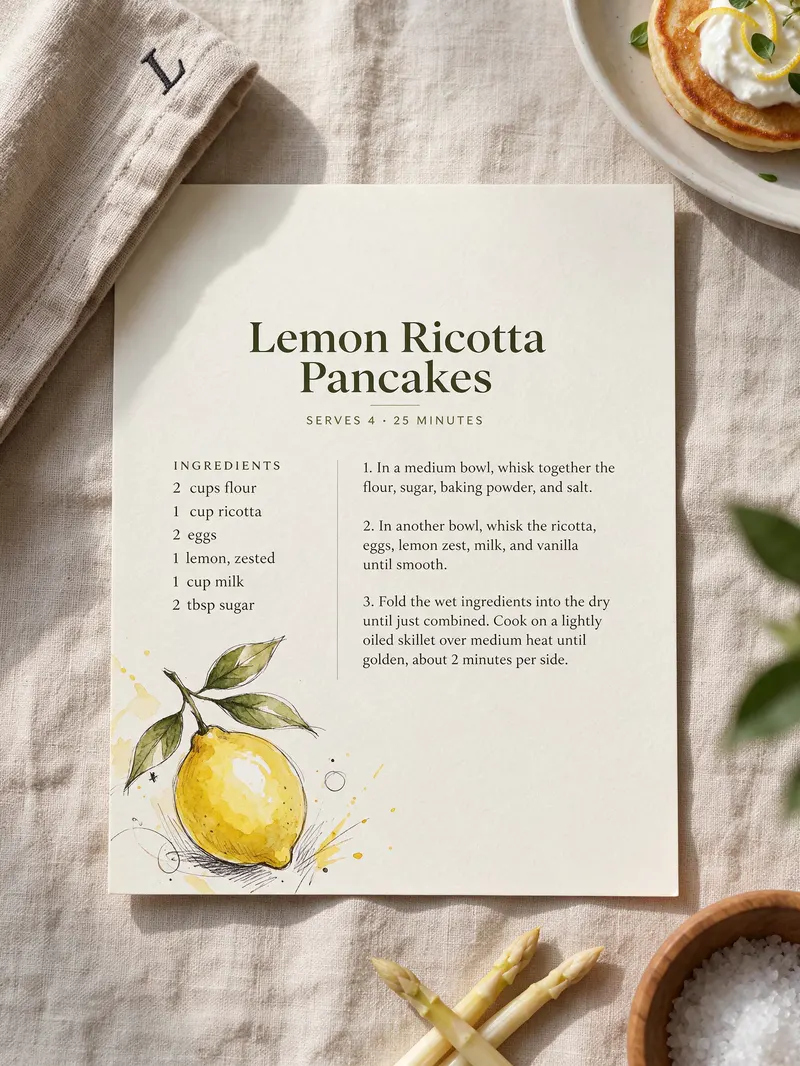
AI-generated photo of a printed recipe card for Lemon Ricotta Pancakes with an ingredient list and a watercolor lemon on linen. Made with Seedream 5.5 at 2K.3:4

A printed recipe card lying on a linen tablecloth, titled "Lemon Ricotta Pancakes" with a small subtitle "Serves 4 · 25 minutes". Below it an ingredients list of six lines: "2 cups flour", "1 cup ricotta", "2 eggs", "1 lemon, zested", "1 cup milk", "2 tbsp sugar", then three numbered steps in small print. A hand-drawn lemon in one corner, soft daylight, photographed from above.

Small print that stays readable

Every line we asked for on this recipe card came out as written, from the title and the "Serves 4 · 25 minutes" subtitle to all six ingredient lines. The steps were left to the model, so proof any text before you print it.
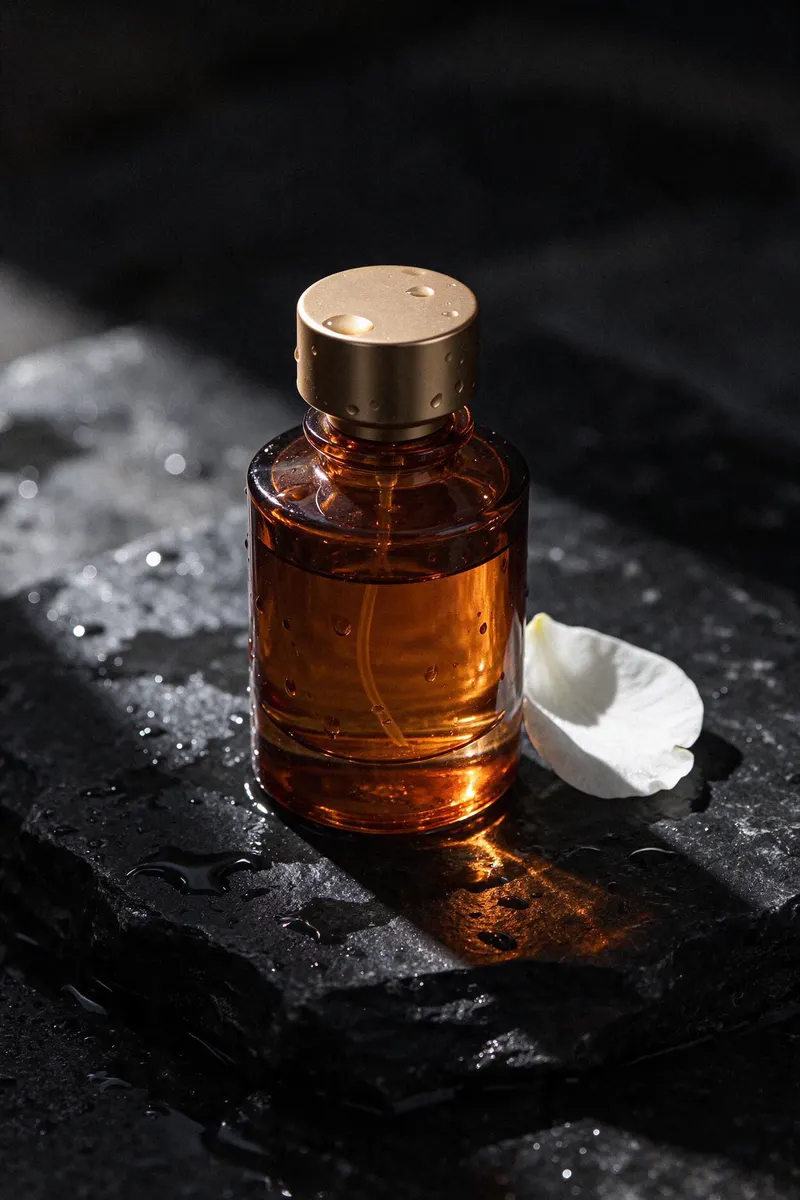
AI-generated product photo of an unbranded amber perfume bottle with a brass cap on wet black stone beside a white petal. Made with Seedream 5.5 at 1.5K.2:3

Luxury product photo of an unbranded amber glass perfume bottle with a brass cap standing on wet black stone, water droplets on the glass, a single white orchid petal beside it, dramatic side light, deep shadows, high-end advertising style.

Glass, metal and water that look real

Light passes through the amber glass, droplets sit on the brass cap and the wet stone keeps its grain. A 2:3 product shot at 1.5K, the size that costs the same as 1K.

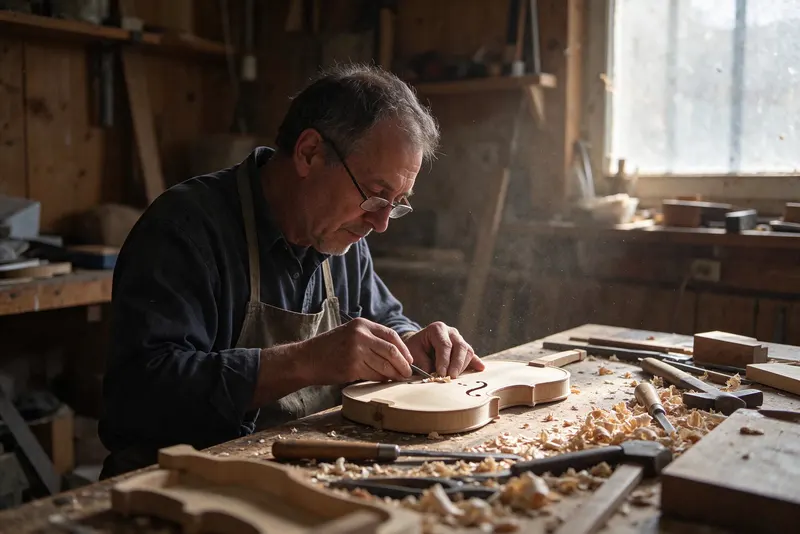
AI-generated documentary photo of an older violin maker carving a violin top among wood shavings in a sunlit workshop. Made with Seedream 5.5 at 1.5K.3:2

Documentary photo of a luthier in his sixties carving the top of a violin in a cluttered wooden workshop, curls of wood shavings on the bench, warm light from a dusty window, realistic skin and wood grain texture, 35mm lens.

Faces and hands at work

Skin, grey stubble and every curl of wood shaving hold up in this 3:2 workshop scene, made at 1.5K from a plain description in about 25 seconds.

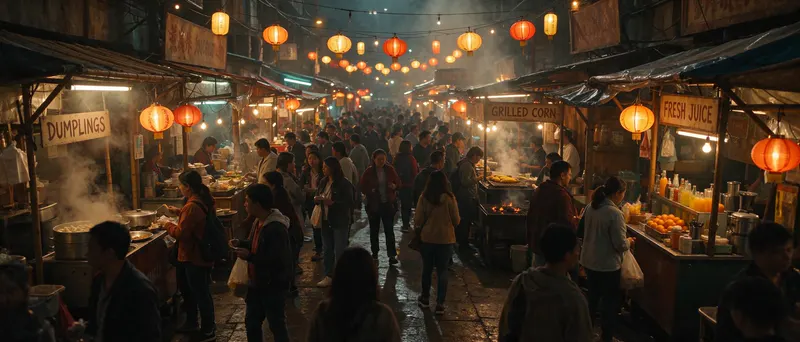
AI-generated ultra-wide photo of a crowded night market with lanterns and stall signs reading DUMPLINGS, GRILLED CORN and FRESH JUICE. Made with Seedream 5.5 at 2K.21:9

Ultra-wide photo of a night market street in an old town, rows of food stalls with hand-painted signs reading "DUMPLINGS", "GRILLED CORN" and "FRESH JUICE", paper lanterns overhead, steam and smoke catching the light, crowds of people, cinematic color.

Wide 21:9 scenes with signs

All three stall signs in this night market read exactly as prompted. At 2K the 21:9 frame comes back at 3136 × 1344 pixels, wide enough for banners and site headers.

Seedream 5.5 specs

Sizes1K, 1.5K and 2K (2K at 21:9 is 3136 × 1344)
Aspect ratios1:1, 4:3, 3:4, 3:2, 2:3, 16:9, 9:16 and 21:9; auto once you add references
Images you can addUp to 10, to edit, restyle or combine
File typeJPEG or PNG
Edits in a rowBuilt to keep untouched areas steady over many rounds (ByteDance says up to 100)
Pictures per run1 to 4; each renders separately, and one that fails is not charged

Seedream 5.5 vs MiniMax H3 Image

Two image models that arrived this month. How MiniMax H3 Image and Seedream 5.5 differ here:

DifferenceSeedream 5.5MiniMax H3 Image
Largest size2K (3136 × 1344 at 21:9)4K (5472 × 3072 at 16:9)
Images you can addUp to 10Up to 16
Ratios to pick from8, from 9:16 to 21:915, from 1:3 to 3:1
Best forText-heavy cards and labels, step-by-step edits4K prints, photoreal portraits, tall frames

Seedream 5.5 vs Seedream 5.0

Seedream 5.0 is still in the model picker, in three versions: Flash, Pro and Lite. How 5.5 compares here:

SettingSeedream 5.5Seedream 5.0
Output sizes1K, 1.5K or 2K1K to 2K (Flash, Pro), 2K to 4K (Lite)
Aspect ratios811
Reference imagesUp to 10Up to 10 (Flash, Pro), 14 (Lite)
Credits per image7 at 1K or 1.5K, 12 at 2K, +3 per referenceFlash 6, Pro 10 to 20, Lite 12
Typical waitAbout 20–45 sFlash 5–30 s, Pro 15–60 s, Lite 10–35 s

Seedream 5.0 is one switch away in the model picker above, under Seedream. Pick Flash for the cheapest drafts and Lite when you need 4K or 14 references; pick Seedream 5.5 for small text that stays readable and edits that keep the rest of the picture.

How to use Seedream 5.5

  1. Describe the picture

    Say what is in the frame, the light and the style. Put every word that must appear in quotation marks, one line at a time.

  2. Choose size and shape

    1K and 1.5K cost the same, so 1.5K is the default; save 2K for the final. Add up to 10 images when you want to edit or combine.

  3. Edit one change at a time

    Add the result back as a reference and ask for a single change per run, such as a new background or one word on a label. The rest of the image should stay as it was.

What people make with Seedream 5.5

Menus, recipe cards and labels

Layouts with a lot of small text, ready to check and print.

Product shots

Glass, metal, liquids and fabric under believable light for shops and ads.

Step-by-step photo edits

Change a background, a color or a word over several runs without redoing the rest.

Tips for better Seedream 5.5 results

  • List text line by line in quotation marks; long paragraphs are better added afterwards.
  • Name materials and light, like "wet stone, side light", for a more photographic finish.
  • Draft at 1.5K, then render the one you keep at 2K.

Pricing - AI Video Maker Credit Packs & Plans

Pick the plan that matches your pace

New accounts get up to 10 free credits — no credit card required. Plans and credit packs are available in most countries.

Subscribers get +20% extra credits at the same price

900 Credits

$9.9/ one-time

≈ 18 videos5s · 480p each

Subscribers receive: 1,080

  • Up to 450 fast images
  • Up to 18 basic videos
  • Every image and video model
  • Valid for 6 months
  • No subscription, never auto-renews

5,500 Credits

$49.9/ one-time

≈ 110 videos5s · 480p each

Subscribers receive: 6,600

  • Up to 2,750 fast images
  • Up to 110 basic videos
  • Every image and video model
  • Valid for 6 months
  • No subscription, never auto-renews

12,000 Credits

$99.9/ one-time

≈ 240 videos5s · 480p each

Subscribers receive: 14,400

  • Up to 6,000 fast images
  • Up to 240 basic videos
  • Every image and video model
  • Valid for 6 months
  • No subscription, never auto-renews

Subscriptions renew automatically at the price shown until you cancel, and we'll tell you before any price change. Cancel anytime in Settings → Billing; you keep access until the paid period ends. Credit packs are one-time and expire 180 days after grant. Prices include any tax collected at checkout. Refunds & Billing · Terms · Privacy Policy · Contact Us · Pricing

aiMakeVideo is an independent AI video platform and is not affiliated with the model providers.

Seedream 5.5 FAQ

What is Seedream 5.5?

Seedream 5.5 is an image generation and editing model from ByteDance Seed, released on November 9, 2026. ByteDance highlights stable editing over many rounds, more natural light and textures, and more accurate small text.

How much does Seedream 5.5 cost on aiMakeVideo?

It runs on credits per image: 1K and 1.5K cost the same, 2K costs more, and each reference image adds a little. The exact cost always shows on the Generate button, and credits are refunded if a run fails for a technical reason.

Can Seedream 5.5 write text in images?

Yes, and it handles small print well: our recipe card sample has a title, a subtitle and six ingredient lines, all spelled as written. Quote each line, keep it short, and check the spelling before you use the image.

How fast is Seedream 5.5?

In our sample runs a 1.5K image took about 25 seconds and a 2K image about 35 seconds, end to end, including the queue and the download.

Can Seedream 5.5 edit my images?

Yes. Add 1 to 10 images and describe the change. For a series of edits, add each result back and change one thing per run. Only use images you own or have permission to edit.

What sizes and shapes does it support?

Sizes 1K, 1.5K and 2K, and eight ratios from 9:16 to 21:9. Once you add reference images you can also pick auto and let the model choose the shape.

Is Seedream 5.5 free?

Not unlimited. The full free signup gift, where offered, covers one image at 1K or 1.5K; 2K and further images need a plan or credit pack. The free trial, where offered, makes Z Image Turbo images with no account.

Is aiMakeVideo the official Seedream site?

No. Seedream is ByteDance's model, and the name belongs to its owner. aiMakeVideo is an independent platform, not affiliated with or endorsed by ByteDance, where you can run Seedream 5.5 in the browser next to other image models.