The same three shots
A shot from the front, a shot from the side that swings round to your face, and a wider shot under the microphone, cut where the clip cuts.
Put yourself at the hanging microphone from BigXthaPlug's Give It All performance: you rap in a packed cinema lobby with a crowd pressed in behind you, check your wrist, fold your arms and laugh, in the same three shots as the clip everyone is remaking.
YouAt the microphone
A clear, front-facing photo works best. One adult in the photo; the clothes come from the photo too.
600 credits · 15 s · 480p · 9:16
One $9.90 pack covers this video. Get creditsOne photo in, fifteen seconds out.
15 seconds · One photo · 480p · The song
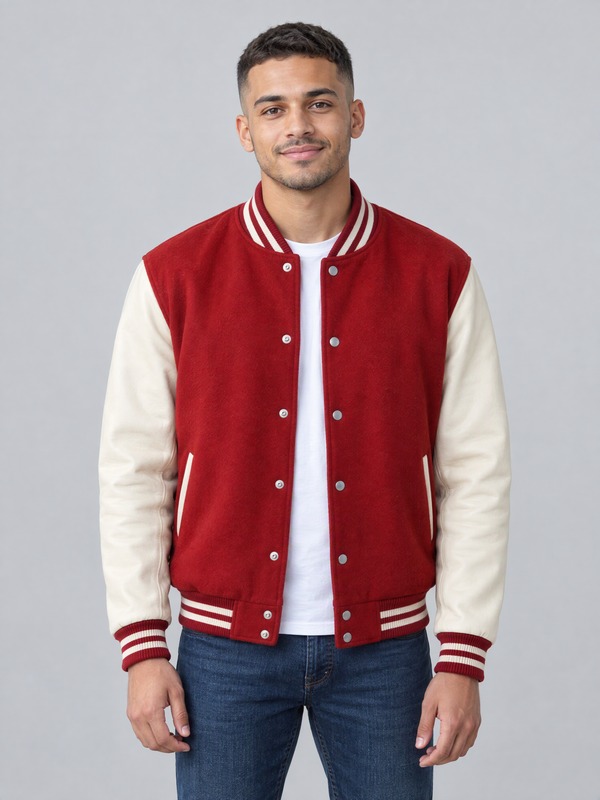 The photo
The example uses an AI-generated person, not a real one.
The lobby, the crowd and the hanging microphone are fixed. Your photo decides who raps.
A shot from the front, a shot from the side that swings round to your face, and a wider shot under the microphone, cut where the clip cuts.
The lobby, the glowing orange boards and the crowd pressed in behind you follow the clip, nodding and throwing hands up on the beat. The faces in the crowd are redrawn each time, so they won't match the original.
The vintage chrome microphone hangs on its cable in front of you in every shot, the way it does in the clip. Nobody holds it.
A render that fails returns to your balance. No ticket, no waiting.
Three steps, a few minutes of waiting.
One adult, facing the camera, with the face clearly visible. A waist-up photo also shows your clothes.
Keep the song, or choose Silent and add your own sound when you post. Then pick 480p or 720p.
15 seconds, vertical 9:16, no watermark. Post it to TikTok, Reels or Shorts.
The BigXthaPlug Give It All AI trend, also called the Give It All to Me AI trend or the hanging mic AI trend, puts someone else at the microphone of BigXthaPlug's From The Block performance of "Give It All": rapping at a vintage microphone that hangs on a cable in a packed cinema lobby, a crowd pressed in behind.
The fun is the swap: a cartoon character, a film character or you get the crowd at your back and the calm, proud moves of the original, a look at the wrist, folded arms, a big laugh. This page puts the face and clothes from your photo into one fixed 15-second cut of that scene. For another rapper-and-crowd clip, see Stormzy Shut Up AI.
Captions and template sites call the same clip by other names. They all point to the same performance.
The name most TikTok captions and tutorials use. Same lobby, same hanging microphone, a new person rapping.
Named after the artist alone, also written BigX the Plug or Big X tha Plug. It means the same Give It All clip.
Named after the series the clip comes from: From The Block performances, filmed on location around one hanging microphone.
Named after the one prop everyone recognises: the microphone on a cable in front of the rapper's face.
The hanging mic AI trend is another name for the same clip: someone raps at a vintage microphone that hangs on a cable from above, in a packed cinema lobby, with a crowd pressed in behind. People who do not know the song call it by the one thing they remember, the microphone in front of the face. It comes from BigXthaPlug's "Give It All" performance for From The Block.
You can tell this version by three things: the chrome microphone on a cable, the glowing orange showtime boards overhead, and the moves, a look at the wrist, folded arms and a big laugh. Other clips use a hanging microphone too. If yours shows two people trading verses on a teal studio set, that is 58th Floor AI.
To make the hanging mic version here you need one photo of one adult, facing the camera, with the face uncovered. The microphone, the lobby and the crowd come from the clip, so the photo only has to show you and what you want to wear.
"Give It All" is a song by the Dallas rapper BigXthaPlug from his album Better Over Time, released on October 30, 2026. The clip people remake is its From The Block performance, posted by 4 Shooters Only: he raps at a hanging microphone in a cinema lobby in Dallas with a crowd around him.
Short cuts of that performance spread on TikTok in early November 2026. Within days, AI versions followed: the same lobby and crowd with a cartoon character, a film character or the poster's own face at the microphone. We cannot say who made the first one.
Sources: Complex on the album Better Over Time · The From The Block performance on YouTube
The timing of the video this page makes. Clips people post vary a little.
| 0–3.7 s | From the front: you lean in to the microphone with a grin, then look down at your wrist |
|---|---|
| 3.7–6.9 s | You laugh, fold your arms, and flick a hand toward the lens |
| 6.9–9 s | Cut to the side: both hands up at the microphone, then the camera swings round to your face |
| 9–11.5 s | Close on your face: eyes closed, palms open, one hand reaching for the lens |
| 11.5–12.5 s | Your wrists cross in front of your chest |
| 12.5–15 s | Cut to a wider shot: you rap under the microphone with the whole crowd behind you |
Use one adult, facing the camera, with the whole face sharp, evenly lit and uncovered. The middle of the video is a close shot of your face, so a clear face matters most.
The clothes come from your photo, and a waist-up photo shows them best. Caps, sunglasses and chains only appear if your photo has them; a watch or a bracelet may still show up on your wrist, as it does in the example. Long hair stays long.
Pick the plan that matches your pace
Not sure yet? 10 credits buy one 4-second watermarked preview with your photos.Try the preview
Subscribers get +20% extra credits at the same price
≈ 18 videos5s · 480p eachor ≈ 1 trend template video
Subscribers receive: 1,080
≈ 38 videos5s · 480p eachor ≈ 2 trend template videos
Subscribers receive: 2,280
≈ 110 videos5s · 480p eachor ≈ 7 trend template videos
Subscribers receive: 6,600
≈ 240 videos5s · 480p eachor ≈ 15 trend template videos
Subscribers receive: 14,400
Subscriptions renew automatically at the price shown until you cancel, and we'll tell you before any price change. Cancel anytime in Settings → Billing; you keep access until the paid period ends. Credit packs are one-time and expire 180 days after grant. Prices include any tax collected at checkout. Refunds & Billing · Terms · Privacy Policy · Contact Us · Pricing
aiMakeVideo is an independent AI video platform and is not affiliated with the model providers.
It is a 15-second vertical video of someone rapping at a hanging microphone in a packed cinema lobby, starring the person in your photo. It costs 600 credits at 480p or 1,050 at 720p.
Yes. Add your photos and tap Preview below the create button: you get a 4-second, 480p clip with a watermark, so you can check the likeness before paying for the full video. A preview costs 10 credits; where the sign-up gift is offered, a new account's free credits cover one. The full video comes without the watermark.
Yes. People call it the Give It All to Me AI trend, the BigXthaPlug AI trend, BigX From The Block or the hanging mic AI trend. It is the same clip: one person raps at a hanging microphone with a crowd behind them.
"Give It All" by BigXthaPlug, from his 2026 album Better Over Time. The video uses 15 seconds of it; choose Silent if you prefer your own sound. It is a rap song and may include strong language.
A series of rap performances posted by 4 Shooters Only, each filmed on location around a single hanging microphone. The Give It All performance was filmed in a cinema lobby in Dallas.
In the lobby of a cinema in Dallas, under glowing orange showtime boards, with a crowd around the microphone. In your video the lobby, the crowd and the camera follow a fixed cut of that scene.
No. It is an AI video. The lobby, the crowd and the camera follow a fixed cut of the scene, and the person at the microphone is made from your photo.
Your mouth moves with the rap and opens on the stressed words, but it is not word-perfect lip sync. The microphone hangs in front of part of your face in some shots, as it does in the original.
No. Use a photo of yourself, or of someone who has agreed to it. The video model can refuse photos of famous people or from adverts, and the run then fails; the credits come back to your balance.
Not on this page: it takes one adult. For a pet, try Dime Dime Baby AI, which has a pet route.
Because the trend lives on TikTok and Reels, where its posts are vertical. The video follows a 9:16 cut of the wide original that keeps the rapper and the microphone in the middle, so less of the crowd shows at the sides.
Add one photo, then pick the sound and the quality. We replace the person in a fixed cut of the scene: the lobby, the crowd, the microphone and the camera stay as they are, and the face, hair and clothes come from your photo.
One adult, facing the camera, with the face sharp and evenly lit. A waist-up photo shows the clothes too. Avoid sunglasses, masks, heavy filters and group photos.
600 credits at 480p or 1,050 at 720p, with sound or without. The smallest pack is $9.90 and covers a 480p video, larger packs cost less per video, and a failed render returns to your balance.
No. The lobby and the crowd are the trend, and this generator puts one person at the microphone. The clothes come from your photo, so wear what you want to see in the video.
Usually several minutes; you can close the tab, and the finished video waits in My videos. A failed render returns the credits straight to your balance.
No. This is an independent fan tool with no connection to BigXthaPlug, 4 Shooters Only, From The Block, TikTok, CapCut or any creator.
Every tool turns your photos into a short vertical video. One credit balance works on all of them.
 Stormzy Shut Up AIYou rap the hook in front of a packed crowd
 My Moon My Man AIYour couple photo becomes a soft launch clip
 Gangsta's Paradise AIYou rap the verse, a friend sings the chorus, a crowd behind you
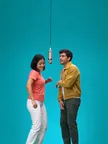 58th Floor AITwo of you trade verses at one mic
 Schooling Seniors AIYou rap into the camera in a night car park
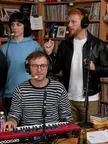 Tiny Desk AIAn office-concert band behind the deskBulin 47 AIA 15-second freestyle rap videoHotel Lobby AI video generatorTwo friends trade verses in the orange booth.Migos AI rap duet makerA duo rap video with an original song.No Scrubs AIA finger wag, a silver spaceship, three friendsCareless Whisper Car Meme AIStolen chips, a blind reach, a deadpan stareDime Dime Baby AIThe 8-second dance entranceI Love The Smiths AIOne elevator, one pair of headphones, one famous lineDog Grooming Time AIYour dog fights off two groomers like a kung fu movieWassup in a Minute AIThree friends, one hillside, one close-upBabydoll Dance AITwo of you doing the Babydoll two step in a park, on a street or at homeCoffee Making AITwo people, one kitchen, no coffeeBaby Wow AIThe BbY WOW dance walk-inDamon Salvatore AIThe 20-second vampire romanceIce Ice Baby Dance AITwo people, one wet court, every move in stepBicep Heart AIFlex one arm, curl the other into a heart24K Magic AIDance on a cruise ship, then the flare goes offHop Hop Hop AIOne waves, one hops, then they swapMonkey Eating Apple AIA macaque fights you for an appleFancy Cafe AIMistake the tiny table for a stoolThriller Dance AILead the 15-second zombie danceGrease Dance AIDance the retro couple duetChristmas Dance AITwo of you in matching Christmas pajamas, doing the same three movesAI Christmas VideoBe an elf, or catch Santa on cameraNew Year AIHello 2027, midnight or Lunar New YearWYW My Sweetie Dance AIDance the jersey-club trendGangnam Style AIThe trio sing-along on a night plazaVossi Bop AIYou rap on an empty London bridge at dawnFunk Loading AIThe party walk-in as a 3D cartoon, set to the slowed funkHit the Road Dude AIState? This? Private property.Toc Toc Dance AIThe 10-second Toc Toc danceLorenzo Zurzolo AIThe 17-second moody fan editStereo Love Funk AIA 15-second funk dance, solo or groupCrazy Frog AIA 15-second invisible-moped chaseOzil Goal AIScore the 15-second goalZombie AI video generatorA zombie love story that ends in a sunny memory.Burning Bridges AIHost a chandelier party sceneRumpelstiltskin AI video generatorYour photo on the little tiptoe dancer, from one picture.Single Ladies Dog Dance AIYour pet takes the leadRaindance AI video makerYou on the sunset pier, from one or two photos.Birds of a Feather AIA slow spin on a floating chair
An independent fan tool. Not affiliated with BigXthaPlug, 4 Shooters Only, From The Block, TikTok, CapCut or any creator.
One photo. Fifteen seconds. A whole crowd at your back.
Make my Give It All videoTell us the trend. When we build it, we'll email you.